01 / VIDEO & ENTERTAINMENT

1REELS

Discover. Watch. Come back for more.

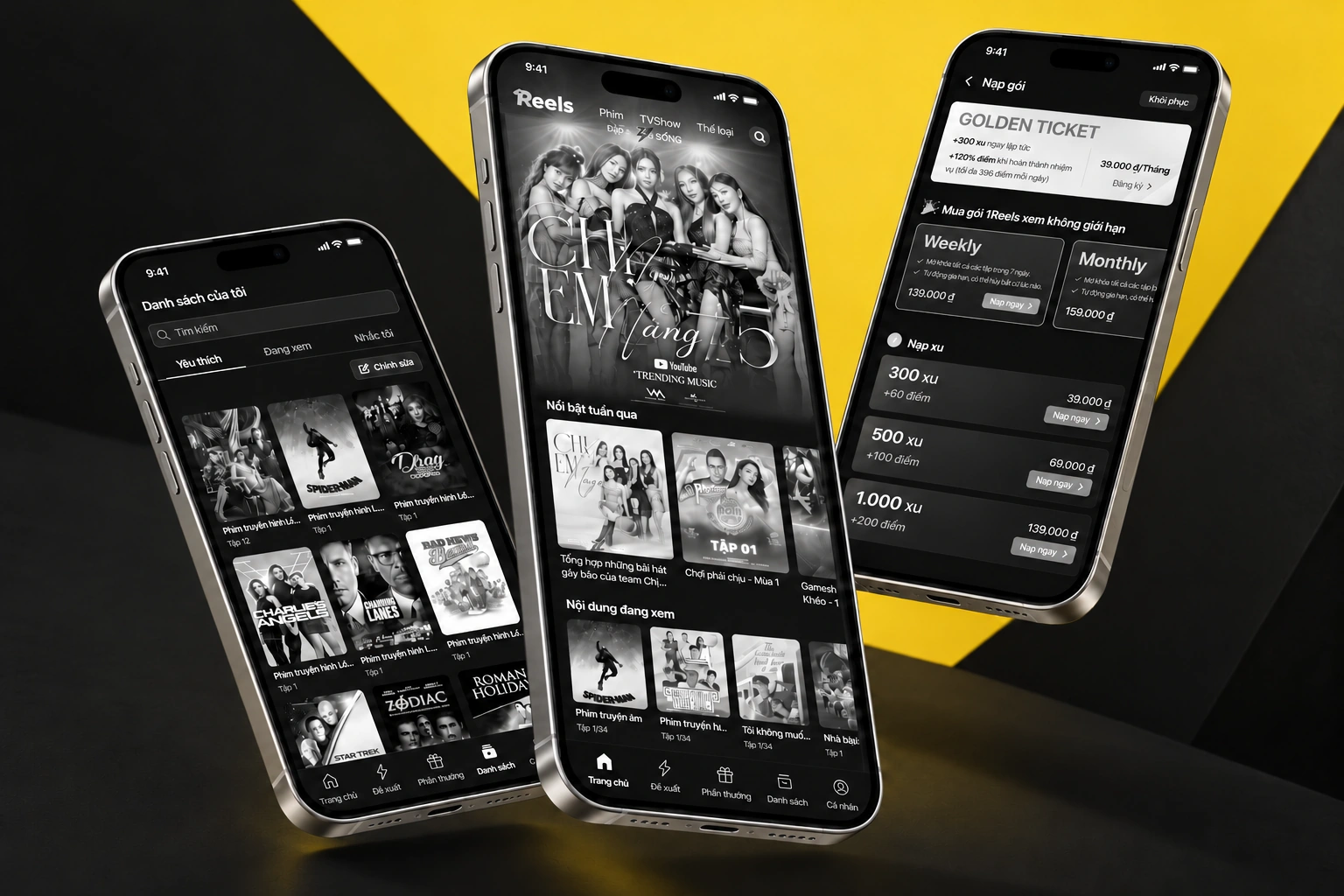
A mobile entertainment app combining content discovery, vertical video, episode viewing, personal lists and rewards, with supporting paid-access interfaces.

1REELS — curated device mockup composition
A project-specific composition using the original artwork.Selected screen views · scroll-frame excerpts where needed
PLATFORM / FORMAT
iOS / Android app
CONTEXT
Video & entertainment
KEY CAPABILITIES
A full home for discovery · Search with context · A focused vertical feed
02 / THE PRODUCT IN DETAIL

From the overview to the details.

13 illustrated feature stories. Each follows a specific screen or use case. Open any image for a closer view.

CHAPTER 01

Discover & choose

01 / 13

A full home for discovery

The complete home feed combines featured programming, continue watching, collections and rankings.

  • Featured content
  • Continue watching
  • Content collections and rankings
1REELS — A full home for discovery
Original Figma export
Scroll to explore the complete screen.
02 / 13

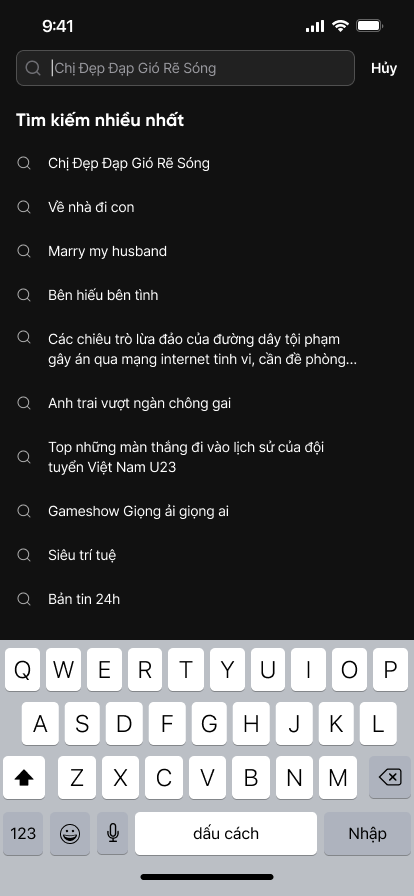
Search with context

Search suggestions appear alongside the typing state and keyboard, helping viewers refine what they want to watch.

  • Search input
  • Suggestions and keyboard state
1REELS — Search with context
Original Figma export
03 / 13

A focused vertical feed

The For you screen puts video first, with content context, social actions and bottom navigation around the viewing surface.

  • Vertical video feed
  • Content context and actions
1REELS — A focused vertical feed
Original Figma export
CHAPTER 02

Watch & customize

04 / 13

Keep episodes within reach

The viewing detail screen brings playback, a timeline and episode selection into one focused experience.

  • Playback timeline
  • Episode selector
  • Like, save and share actions
1REELS — Keep episodes within reach
Original Figma export
05 / 13

Choose the next episode

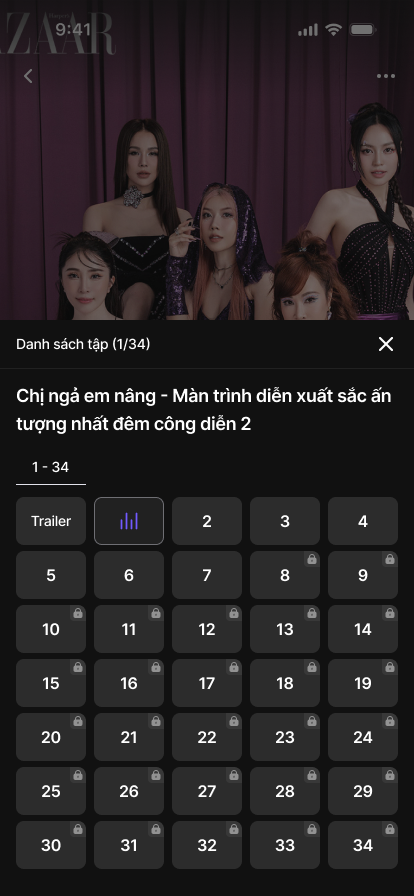
An episode and trailer selector opens as a bottom sheet over the current video.

  • Episode selection sheet
  • Viewing context preserved
1REELS — Choose the next episode
Original Figma export
06 / 13

Set viewing preferences

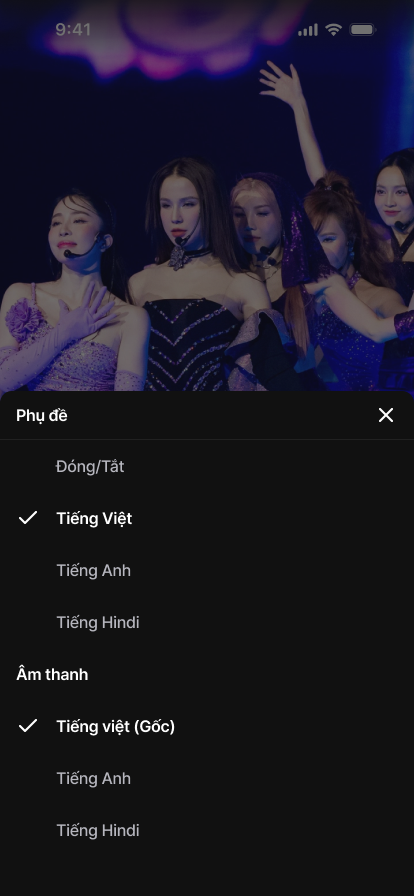
A selection sheet brings subtitle and audio options into the viewing experience.

  • Subtitle selection
  • Audio preferences
1REELS — Set viewing preferences
Original Figma export
CHAPTER 03

Save & return

07 / 13

A personal place for content

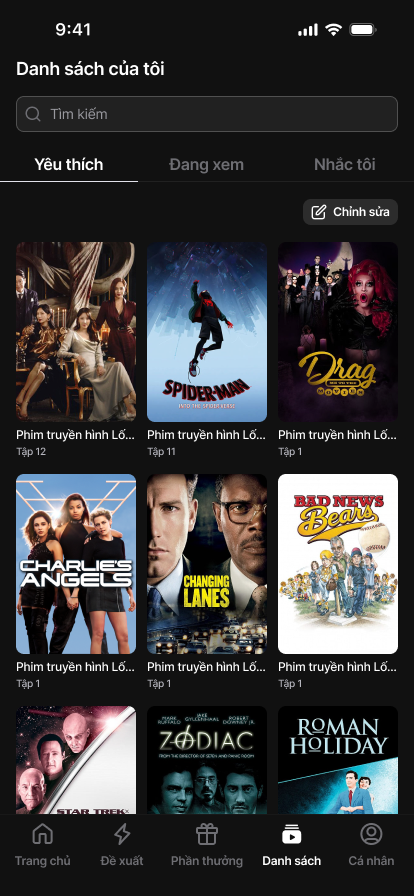
My list combines search with Favorites, Watching and Remind me tabs.

  • Personal library
  • Search and content tabs
1REELS — A personal place for content
Original Figma export
08 / 13

Save to the right collection

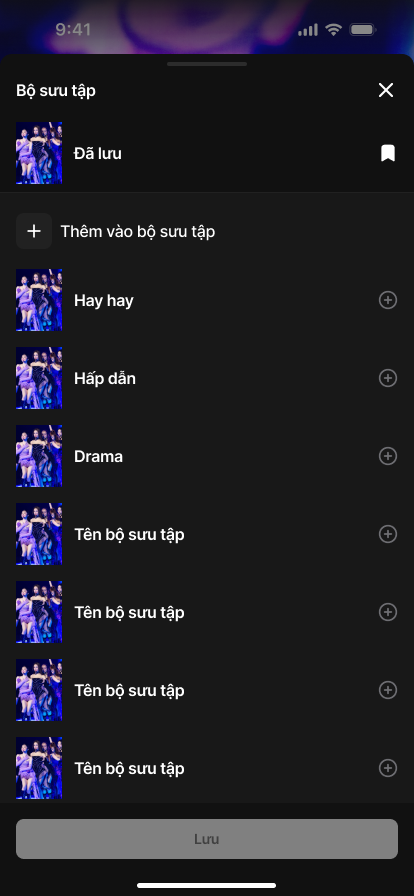
A save sheet lists existing collections and provides a way to add a new one.

  • Collection choice
  • Add-new collection action
1REELS — Save to the right collection
Original Figma export
CHAPTER 04

Rewards & access

09 / 13

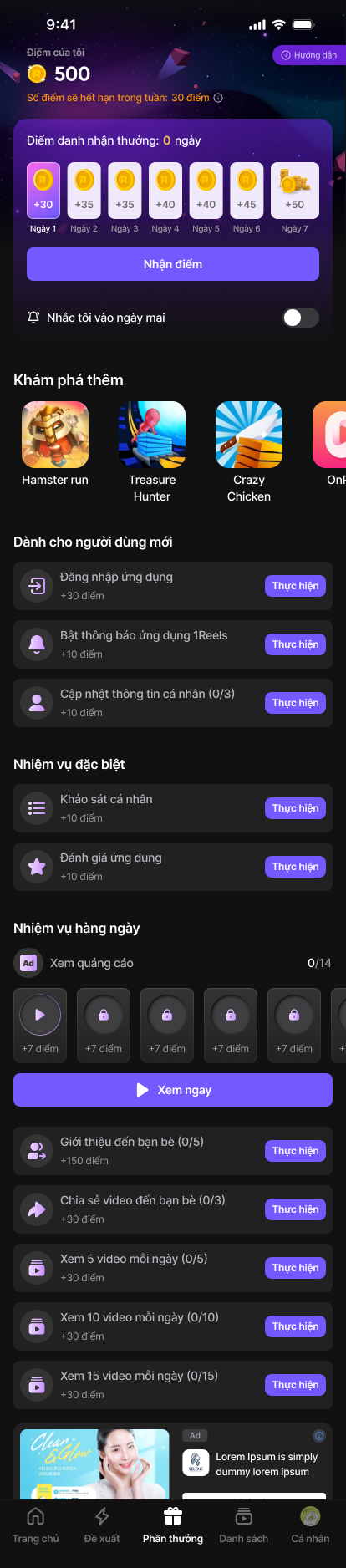
A dedicated rewards experience

The rewards frame organizes points, check-ins, games and daily missions into a scrollable experience.

  • Daily check-in
  • Mission organization
  • Points and rewards information
1REELS — A dedicated rewards experience
Original Figma export
Scroll to explore the complete screen.

10 / 13

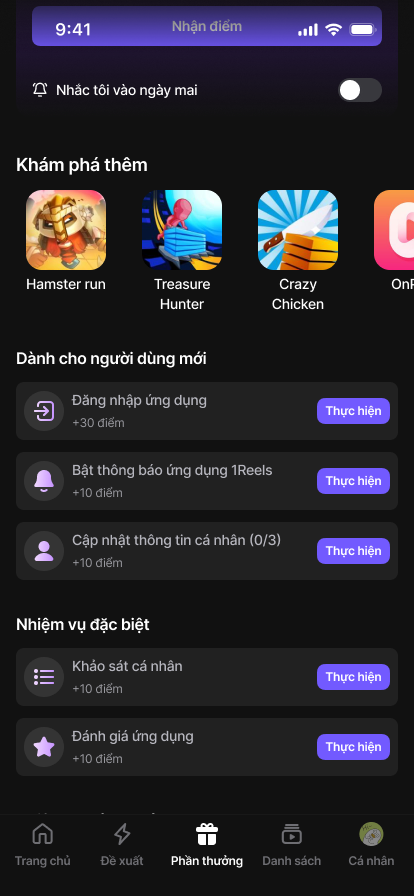
A starting path through rewards

An onboarding and special-mission list introduces tasks within the rewards area.

  • Onboarding missions
  • Task list organization
1REELS — A starting path through rewards
Original Figma export
11 / 13

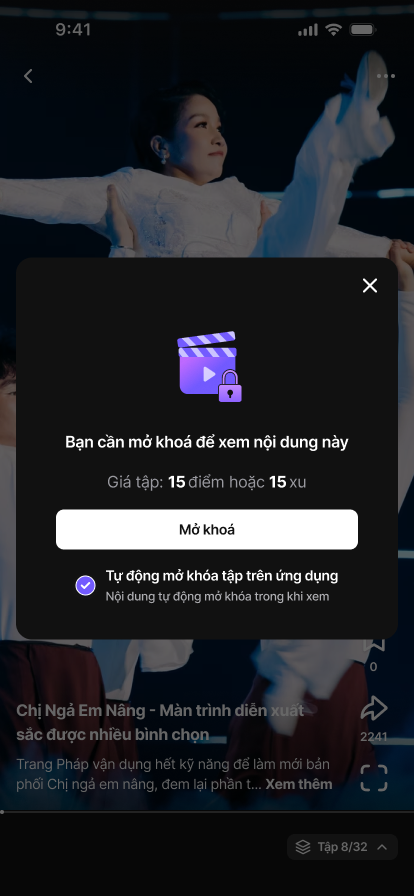
Explain a locked episode

The content-unlock sheet presents points or coins and an auto-unlock choice before access.

  • Unlock information
  • Auto-unlock checkbox
1REELS — Explain a locked episode
Original Figma export
12 / 13

Make unlock behavior a preference

Settings expose auto-unlock and notification preferences in a dedicated screen.

  • Auto-unlock preferences
  • Notification controls
1REELS — Make unlock behavior a preference
Original Figma export
13 / 13

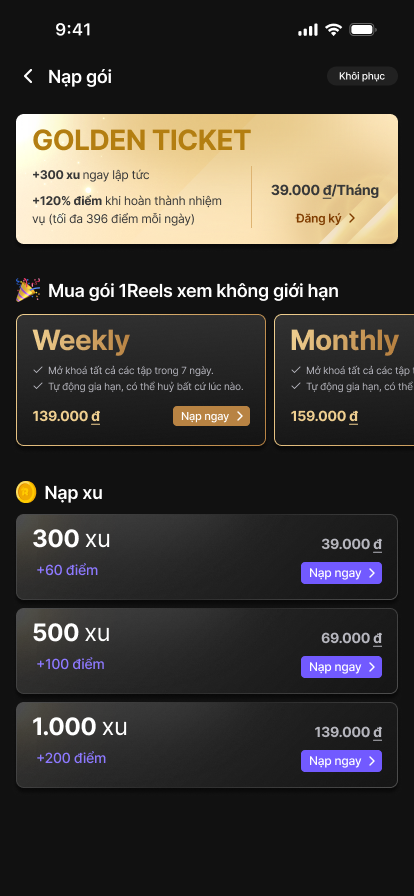
Make paid options understandable

Subscription and coin screens present Golden Ticket plans and top-up choices. Values shown are sample design content.

  • Plan comparison
  • Coin top-ups
  • Clear paid-access hierarchy
1REELS — Make paid options understandable
Original Figma export
03 / MY ROLE & COLLABORATION

My part
in the work.

ROLE DRAFT · FOR REVIEW

This role statement is a working draft for Kha Hoang to review. Final ownership and scope will be confirmed.

I collaborated on the mobile entertainment interface, connecting discovery, playback, personal lists and engagement screens into a consistent product experience.

  1. Design the core viewing and discovery interfaces
  2. Align reusable mobile components and states
  3. Collaborate on rewards and paid-access presentation

Original supplied interface artwork is preserved. Any figures, names or prices within the UI are design content, not reported project outcomes.

KEEP EXPLORING / NEXT PROJECTHiPlay

Let’s talk.

Have something in mind? Choose a way to get in touch.

LinkedInConnect with me
ZaloChat with me on Zalo
Emailkhahoangtm93@gmail.com
Phone0935 061 682