01 / CONTENT COMMERCE

OnEcom

From the product catalog to the content around it.

A seller workspace connecting catalog management, order operations and product-to-content linking within a shared administration shell.

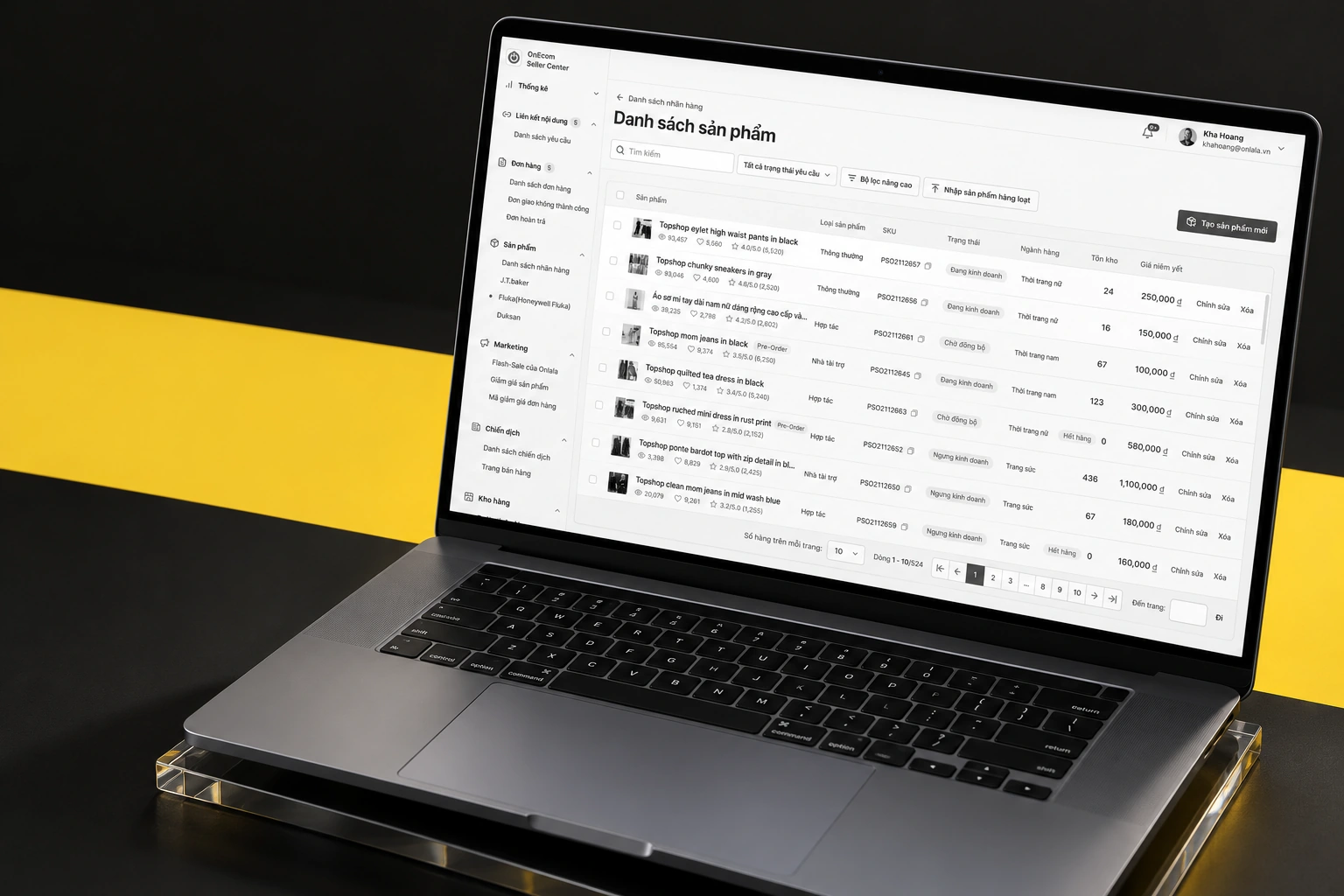
OnEcom — curated device mockup composition
A project-specific composition using the original artwork.Selected screen views · scroll-frame excerpts where needed
PLATFORM / FORMAT
Desktop seller workspace
CONTEXT
Content commerce
KEY CAPABILITIES
A working product catalog · Bring products in through a spreadsheet · Connect a product to content
02 / THE PRODUCT IN DETAIL

From the overview to the details.

10 illustrated feature stories. Each follows a specific screen or use case. Open any image for a closer view.

CHAPTER 01

Build the catalog

01 / 10

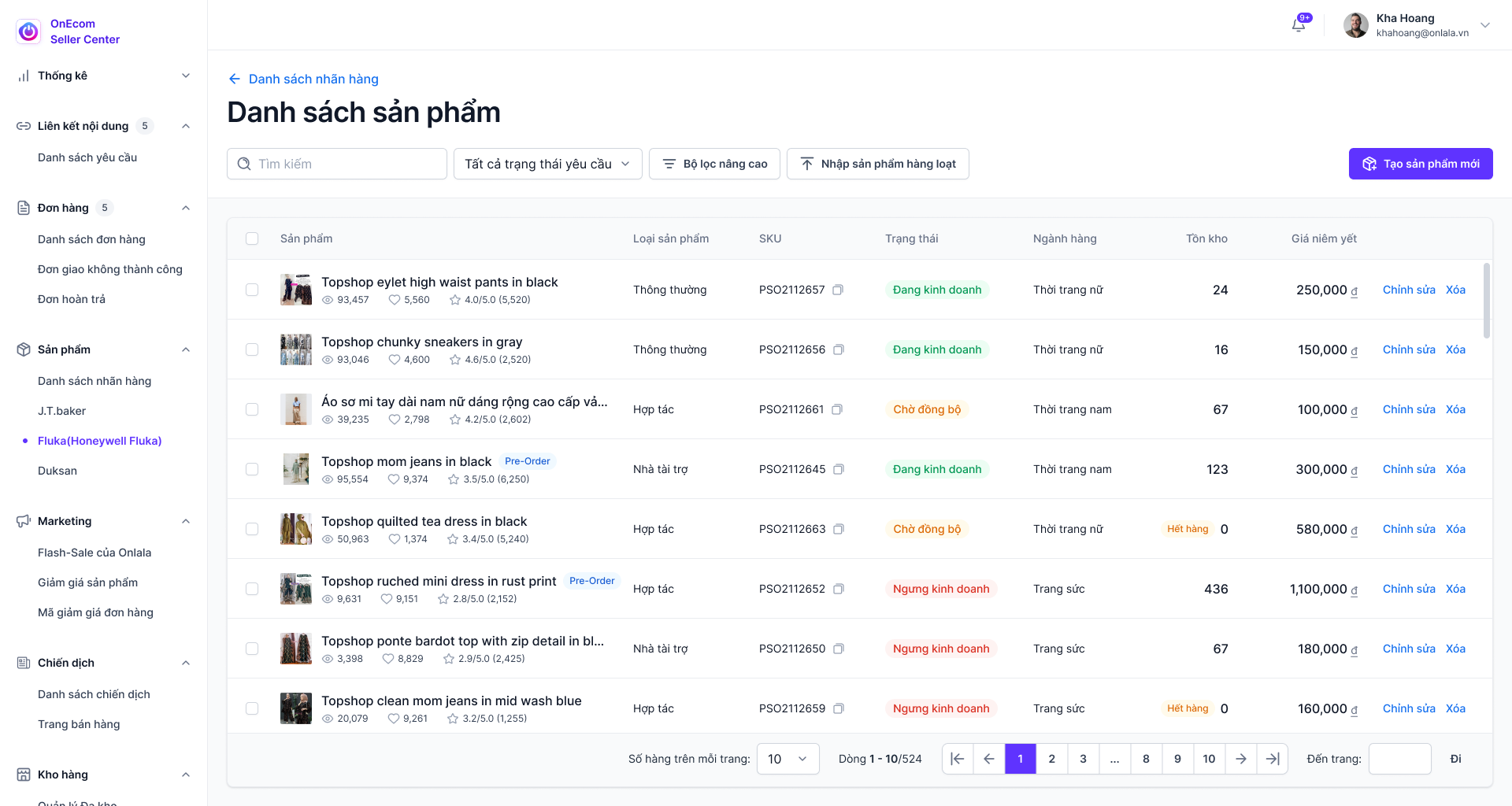
A working product catalog

Products are presented through status, stock, price and filtering information, keeping catalog operations together.

  • Product statuses
  • Stock and price information
  • Filtering and table actions
OnEcom — A working product catalog
Original Figma export
02 / 10

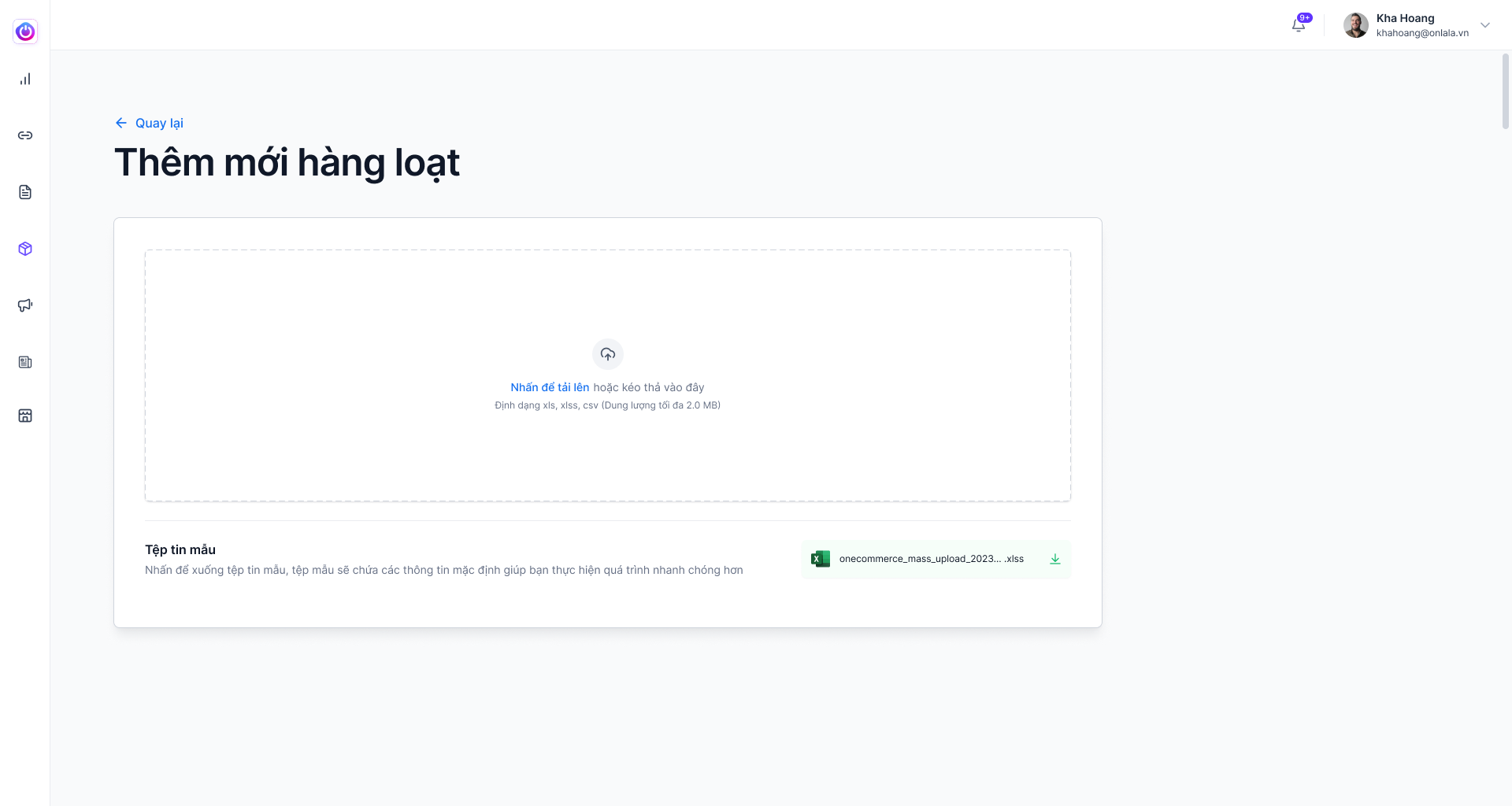
Bring products in through a spreadsheet

The bulk import screen provides an Excel-based route into the product catalog.

  • Bulk Excel upload
  • Import workflow
OnEcom — Bring products in through a spreadsheet
Original Figma export
CHAPTER 02

Link products to content

03 / 10

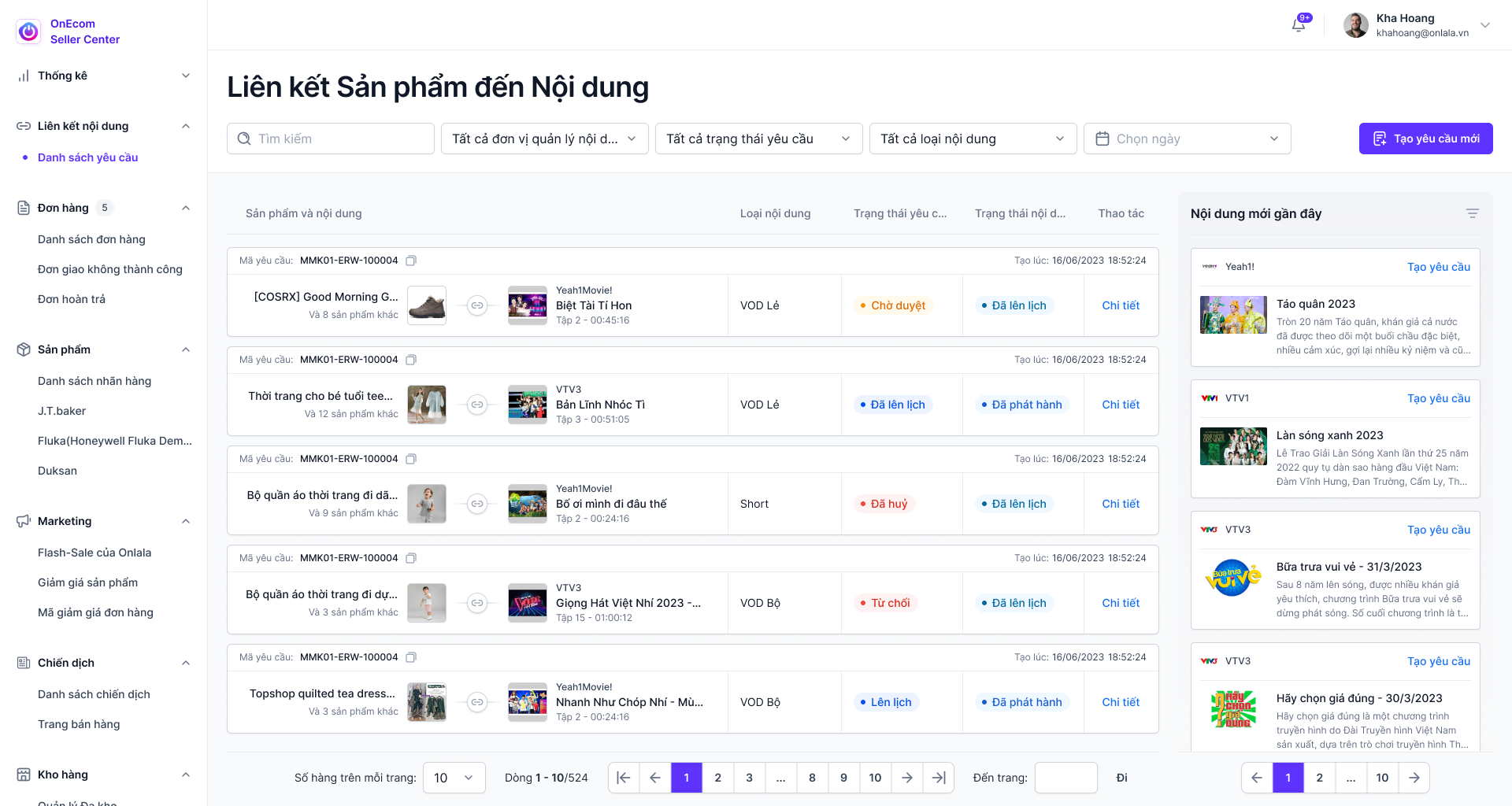
Connect a product to content

Requests link products to provider content, showing previews and approval-related states.

  • Content previews
  • Product-content requests
  • Approval and expiry states
OnEcom — Connect a product to content
Original Figma export
04 / 10

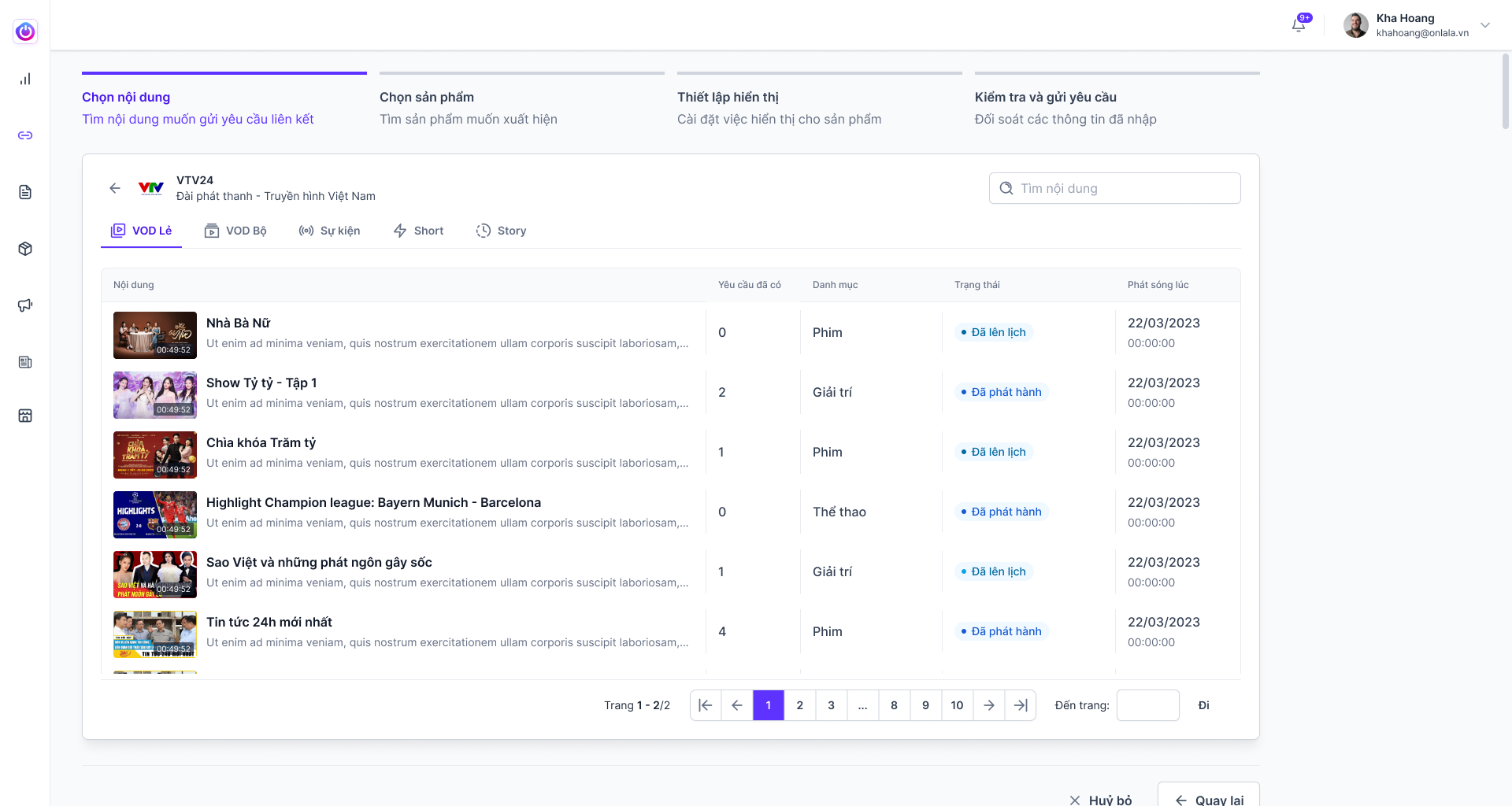
Step 1 — choose the content

The first linking step presents content for selection.

  • Content selection
  • Request setup
OnEcom — Step 1 — choose the content
Original Figma export
05 / 10

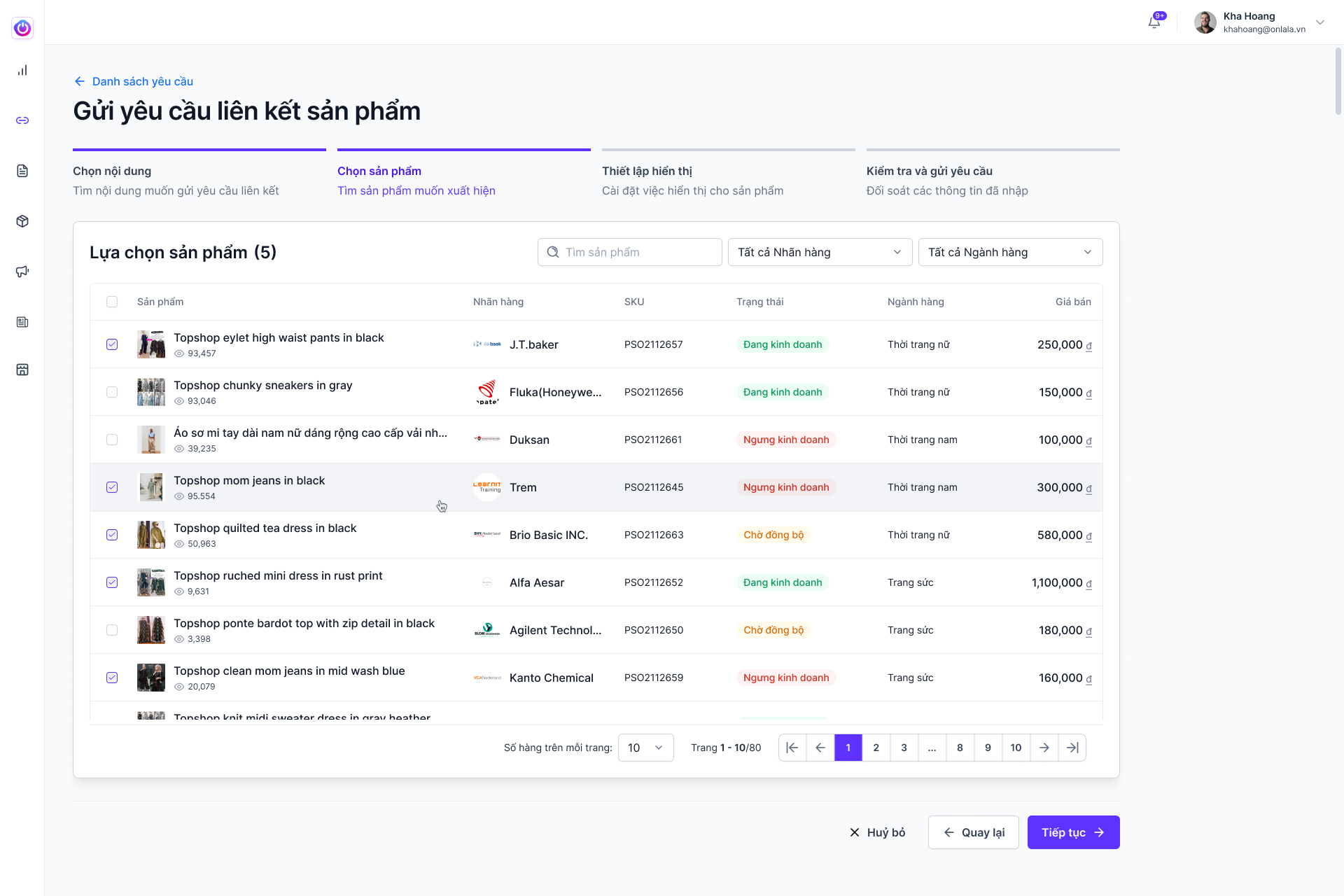
Step 2 — select the products

The next step brings product selection into the same linking workflow.

  • Product selection
  • Linked-item context
OnEcom — Step 2 — select the products
Original Figma export
06 / 10

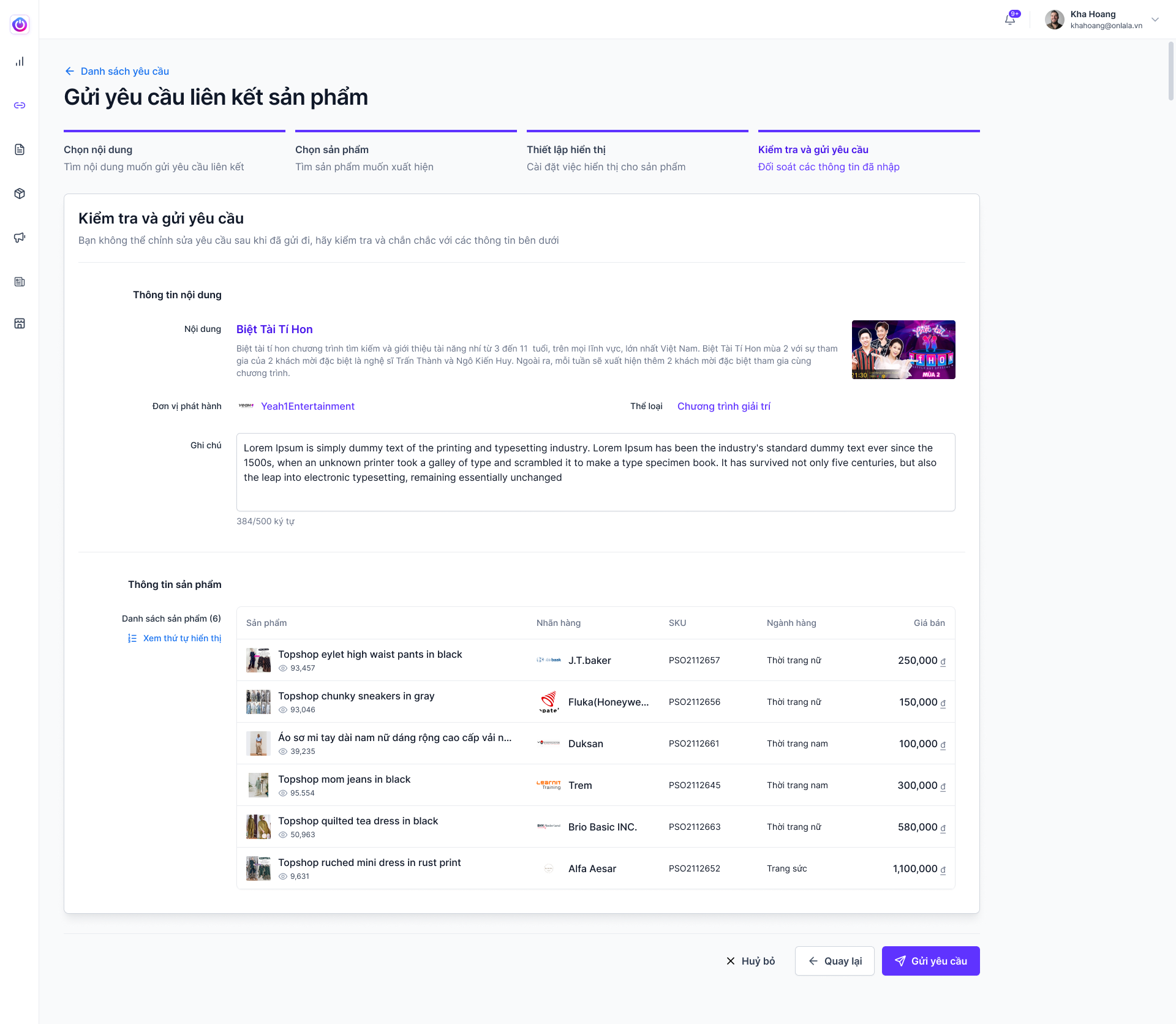
Step 3 — review the request

A review screen brings the selected content and products together before the request is sent.

  • Review selected items
  • Send a linking request
OnEcom — Step 3 — review the request
Original Figma export
Scroll to explore the complete screen.
CHAPTER 03

Operate orders through exceptions

07 / 10

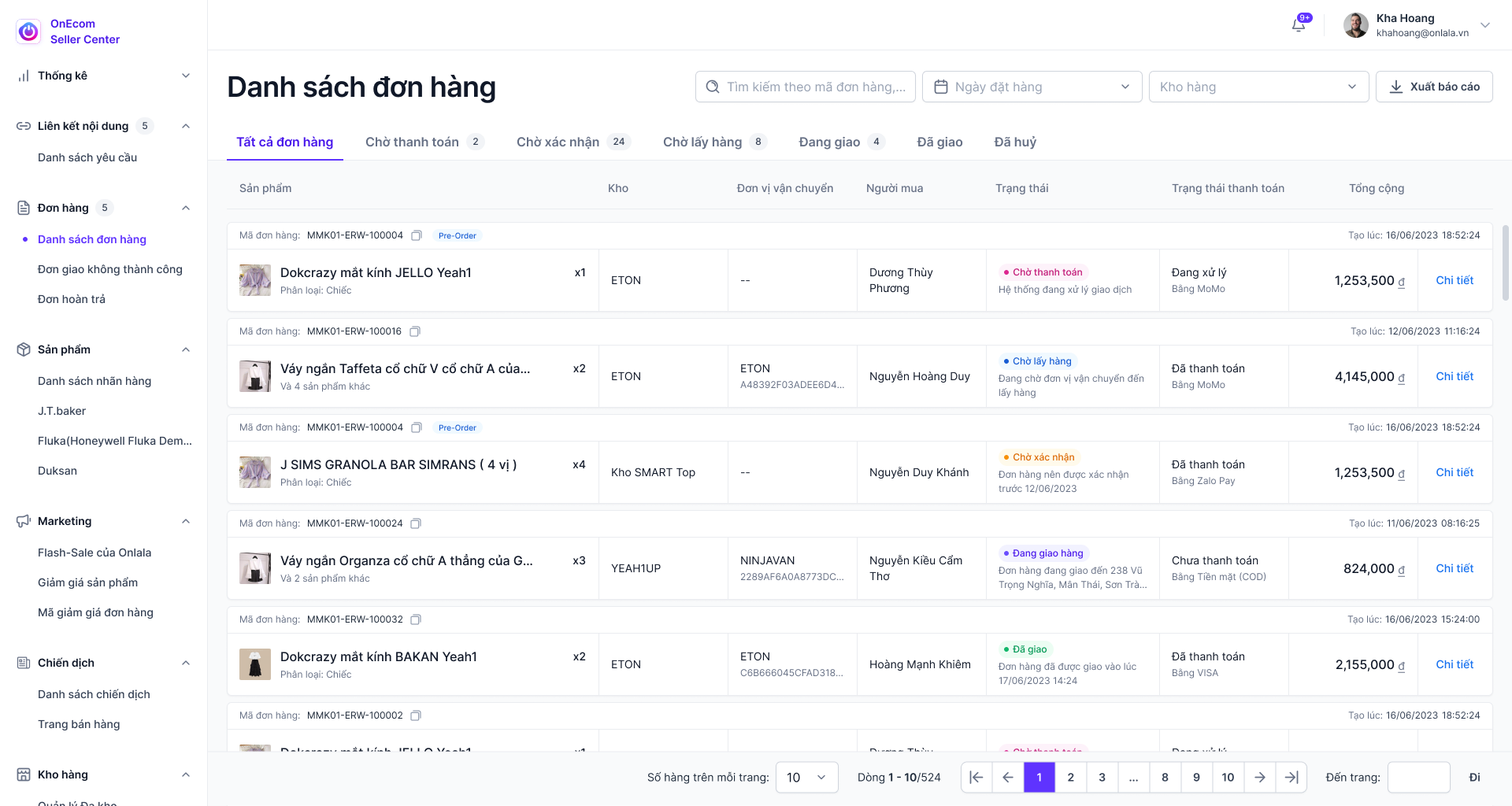
Follow each order’s progress

The order list brings payment, confirmation and fulfillment stages into an operational view.

  • Order stages
  • Fulfillment information
  • Status-based organization
OnEcom — Follow each order’s progress
Original Figma export
08 / 10

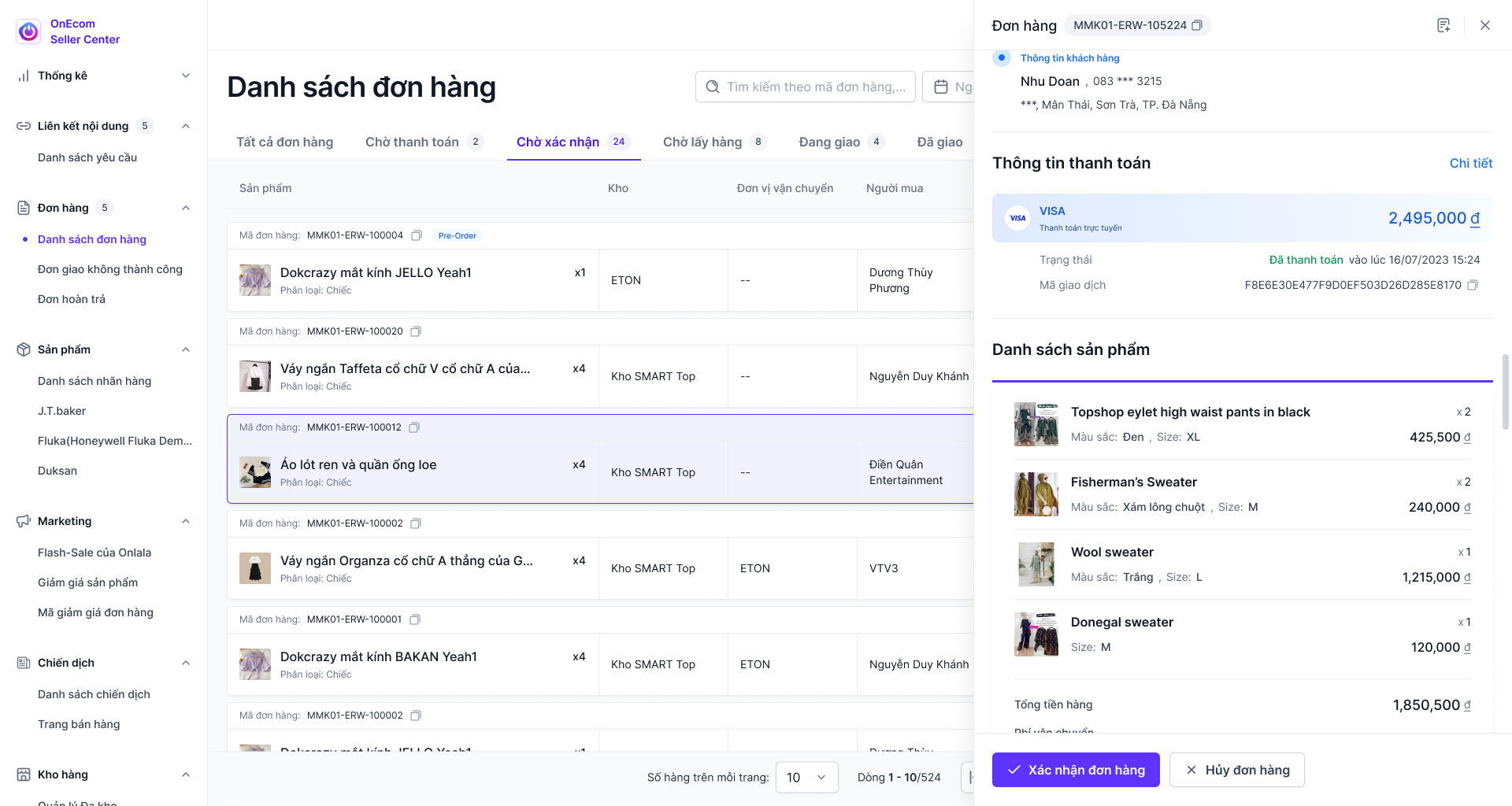
Confirm an order with context

An order detail sheet shows payment and item information with confirm and cancel actions.

  • Order detail sheet
  • Confirm and cancel actions
OnEcom — Confirm an order with context
Original Figma export
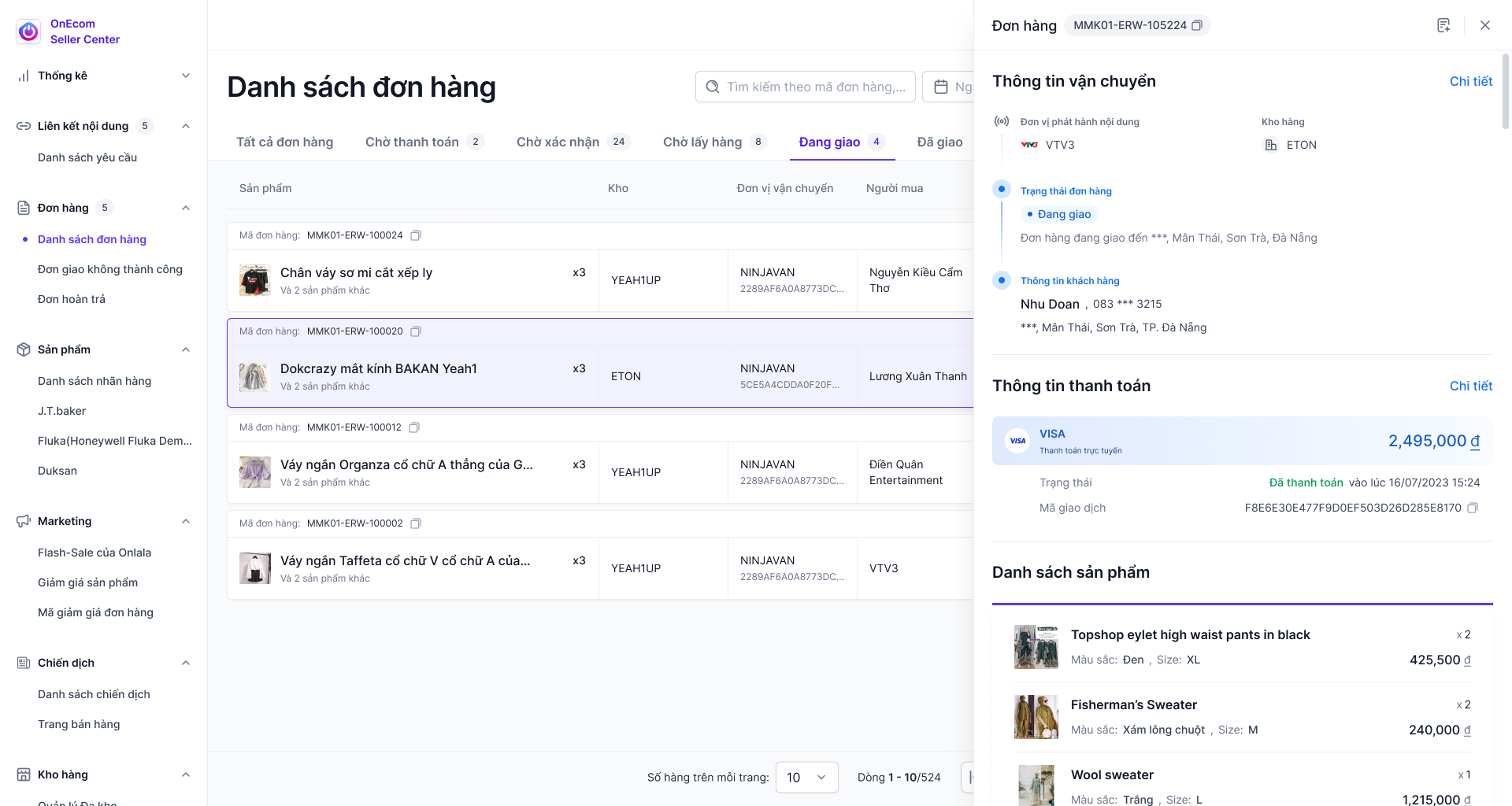
09 / 10

Follow the delivery state

The delivery state brings shipping and payment detail into the order workflow.

  • Delivery status
  • Shipping and payment context
OnEcom — Follow the delivery state
Original Figma export
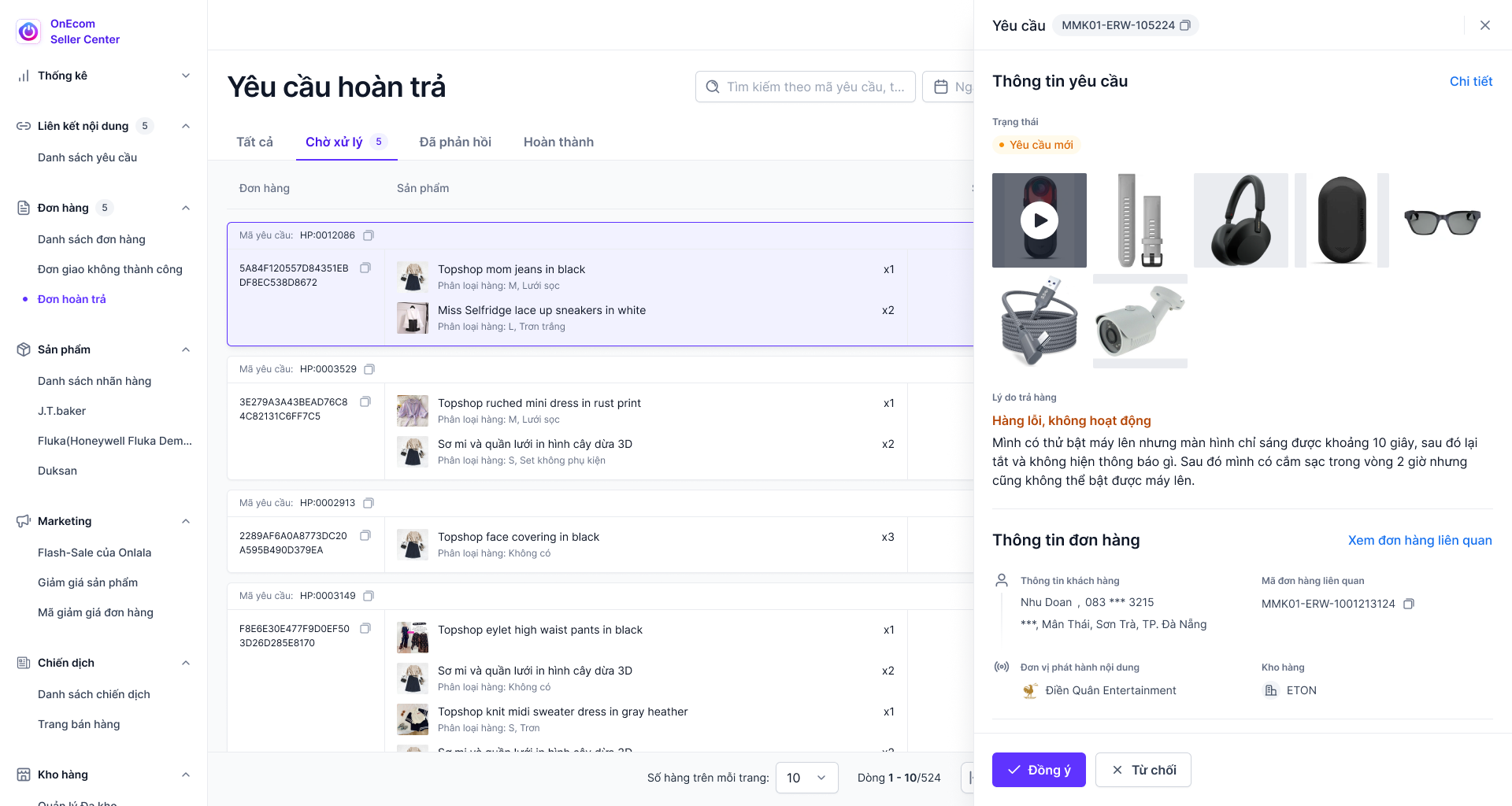
10 / 10

Work through a return request

The return interface combines an evidence image with approve and reject actions.

  • Return evidence
  • Approval or rejection
OnEcom — Work through a return request
Original Figma export
03 / MY ROLE & COLLABORATION

My part
in the work.

ROLE DRAFT · FOR REVIEW

This role statement is a working draft for Kha Hoang to review. Final ownership and scope will be confirmed.

I collaborated on seller-facing administration screens, working across product tables, order workflows and content-linking interfaces to keep related tasks understandable within one system.

  1. Structure product and order-management views
  2. Design request and approval information
  3. Align data tables and interaction states

Original supplied interface artwork is preserved. Any figures, names or prices within the UI are design content, not reported project outcomes.

KEEP EXPLORING / NEXT PROJECTSocial Media

Let’s talk.

Have something in mind? Choose a way to get in touch.

LinkedInConnect with me
ZaloChat with me on Zalo
Emailkhahoangtm93@gmail.com
Phone0935 061 682