01 / MEDIA OPERATIONS

OnStudio

From content library to multi-platform publishing.

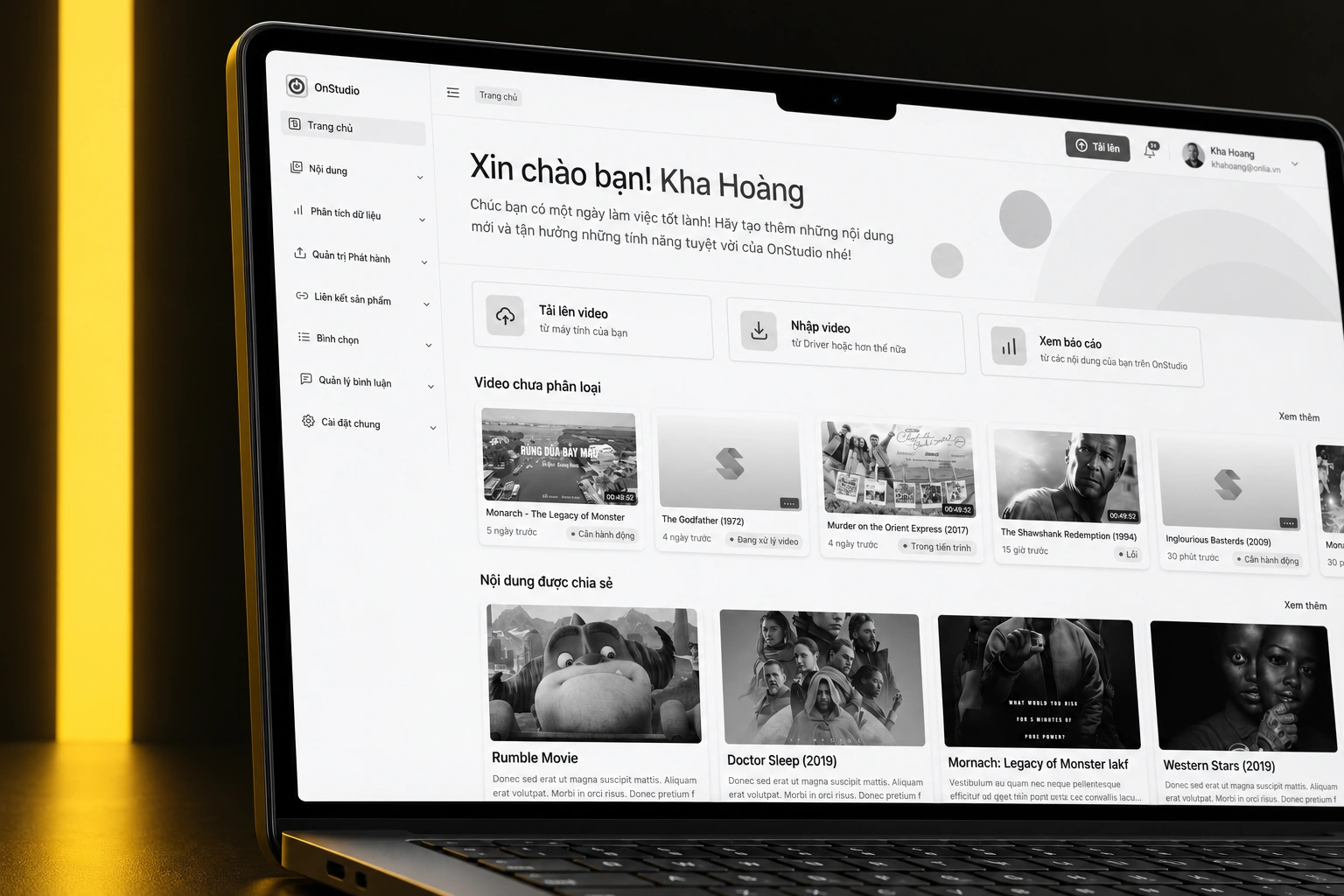
OnStudio brings content intake, library management, distribution and analytics into a shared workspace for media teams. The design connects everyday file and metadata operations with platform-specific publishing and a clearer view of how content is shared and used.

OnStudio — curated device mockup composition
A project-specific composition using the original artwork.Selected screen views · scroll-frame excerpts where needed
PLATFORM / FORMAT
Web application
CONTEXT
Media operations
KEY CAPABILITIES
Bring content into a shared workspace · Follow the intake queue · Give the library structure
02 / THE PRODUCT IN DETAIL

From the overview to the details.

12 illustrated feature stories. Each follows a specific screen or use case. Open any image for a closer view.

CHAPTER 01

Ingest & organize

01 / 12

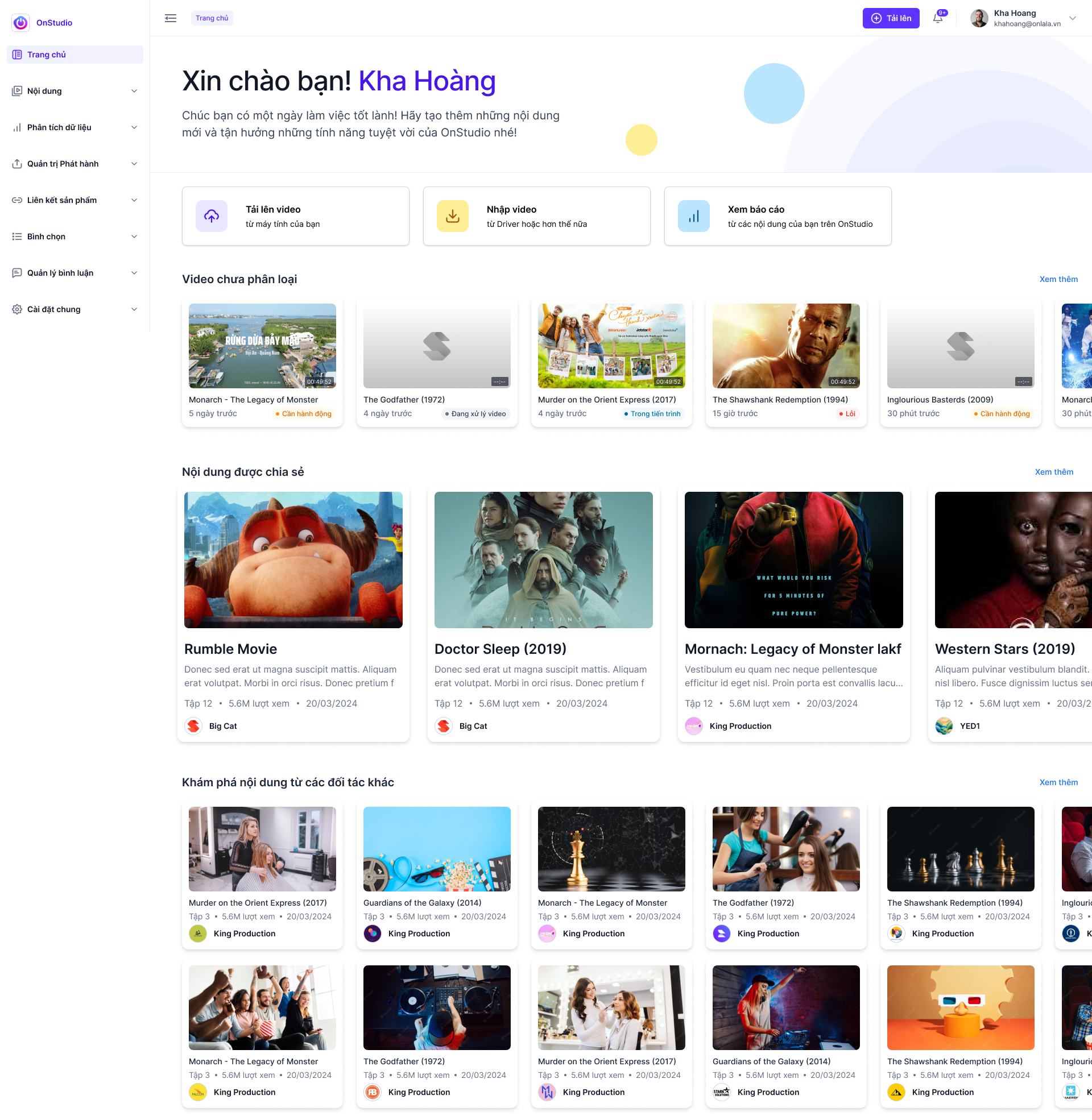
Bring content into a shared workspace

The home screen brings upload and import shortcuts together with recent processing states, shared content and partner discovery.

  • Upload and import entry points
  • Processing and classification states
  • Shared and partner content
OnStudio — Bring content into a shared workspace
Original Figma export
Scroll to explore the complete screen.
02 / 12

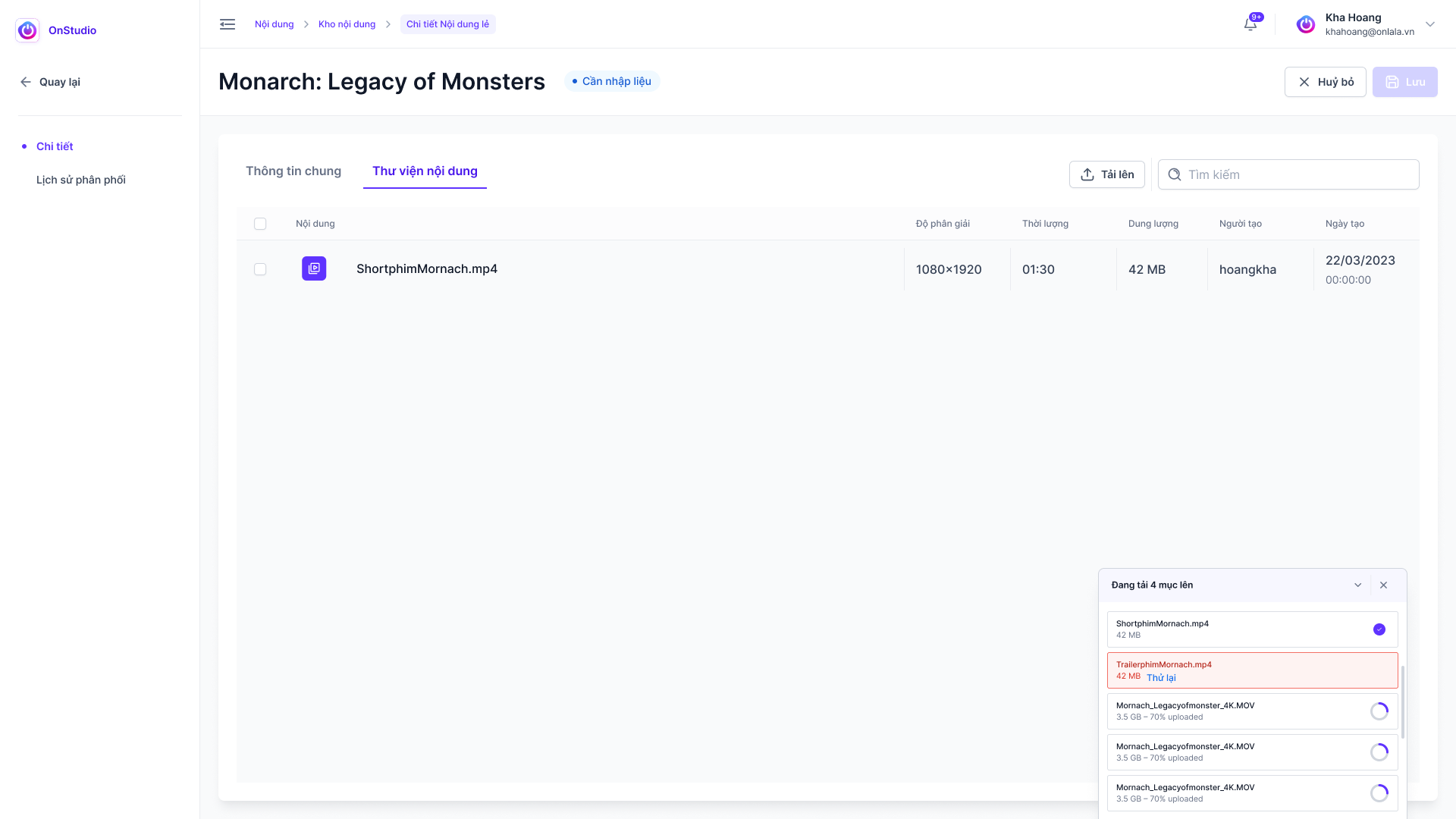
Follow the intake queue

The upload state presents video files and processing progress as work enters the system.

  • Upload queue
  • Processing states
OnStudio — Follow the intake queue
Original Figma export
03 / 12

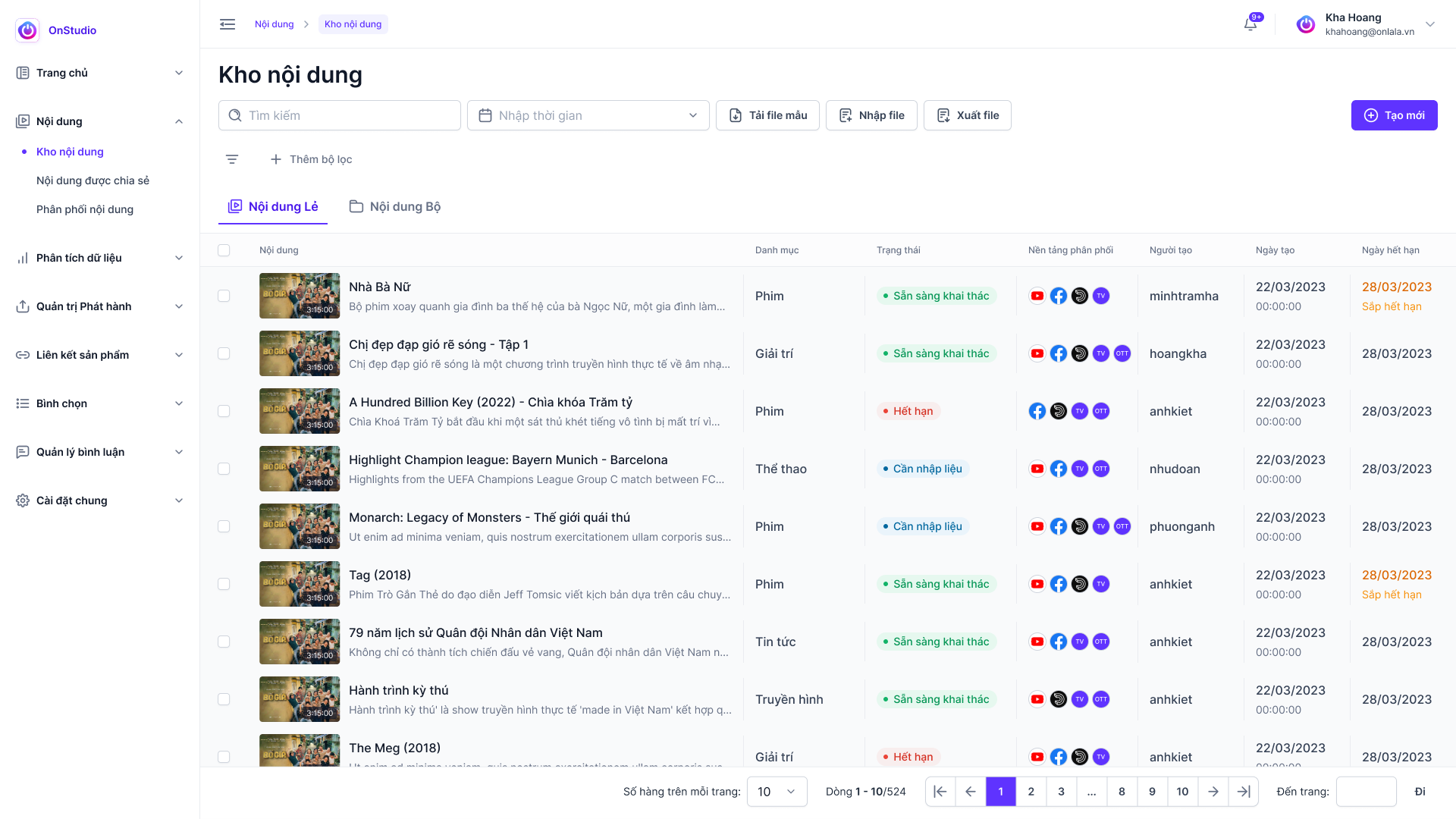
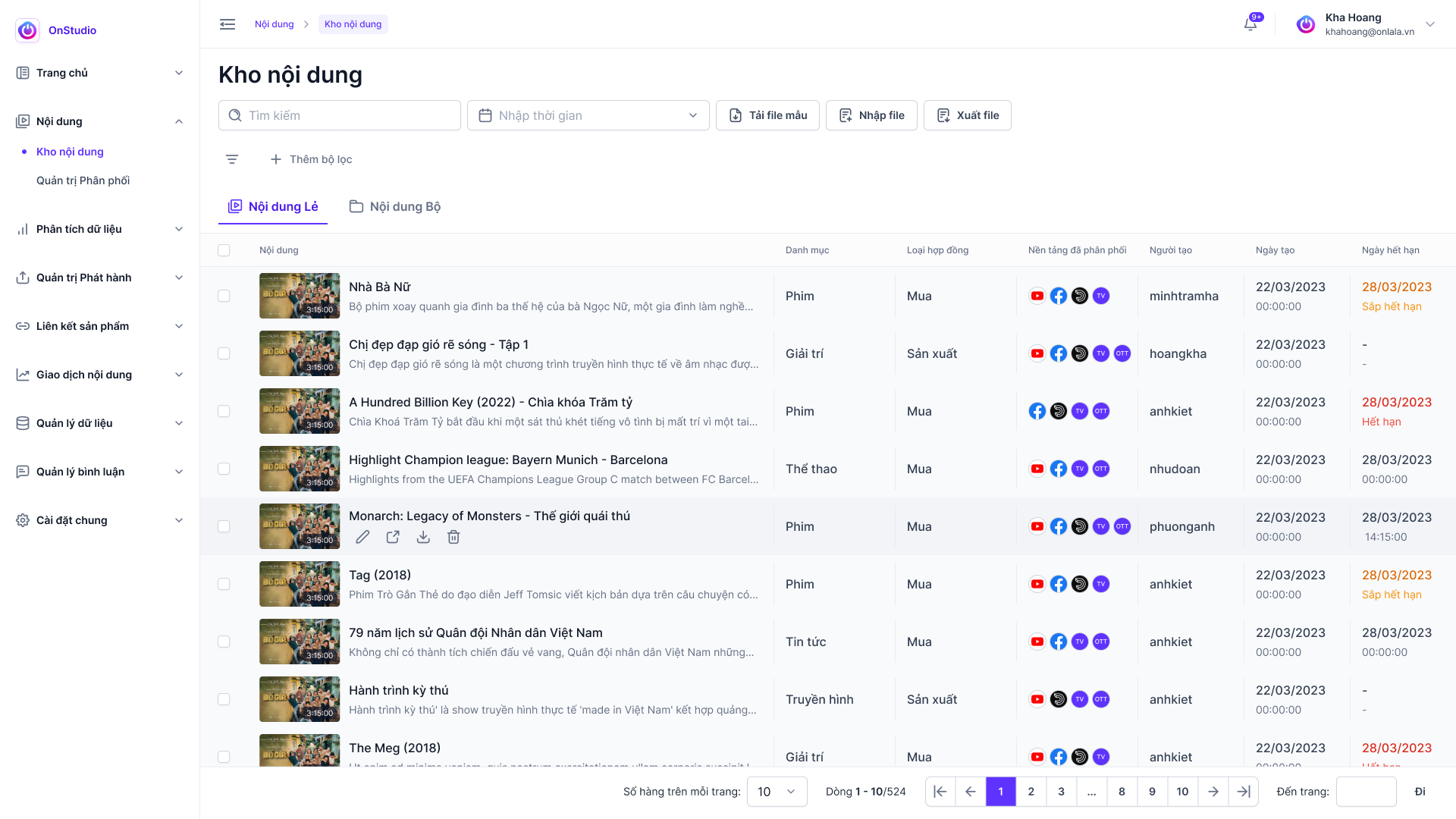
Give the library structure

The inventory organizes thumbnails, metadata, lifecycle statuses and platform information in a working repository.

  • Content metadata and filters
  • Lifecycle statuses
  • Repository actions
OnStudio — Give the library structure
Original Figma export
04 / 12

Keep metadata and rights together

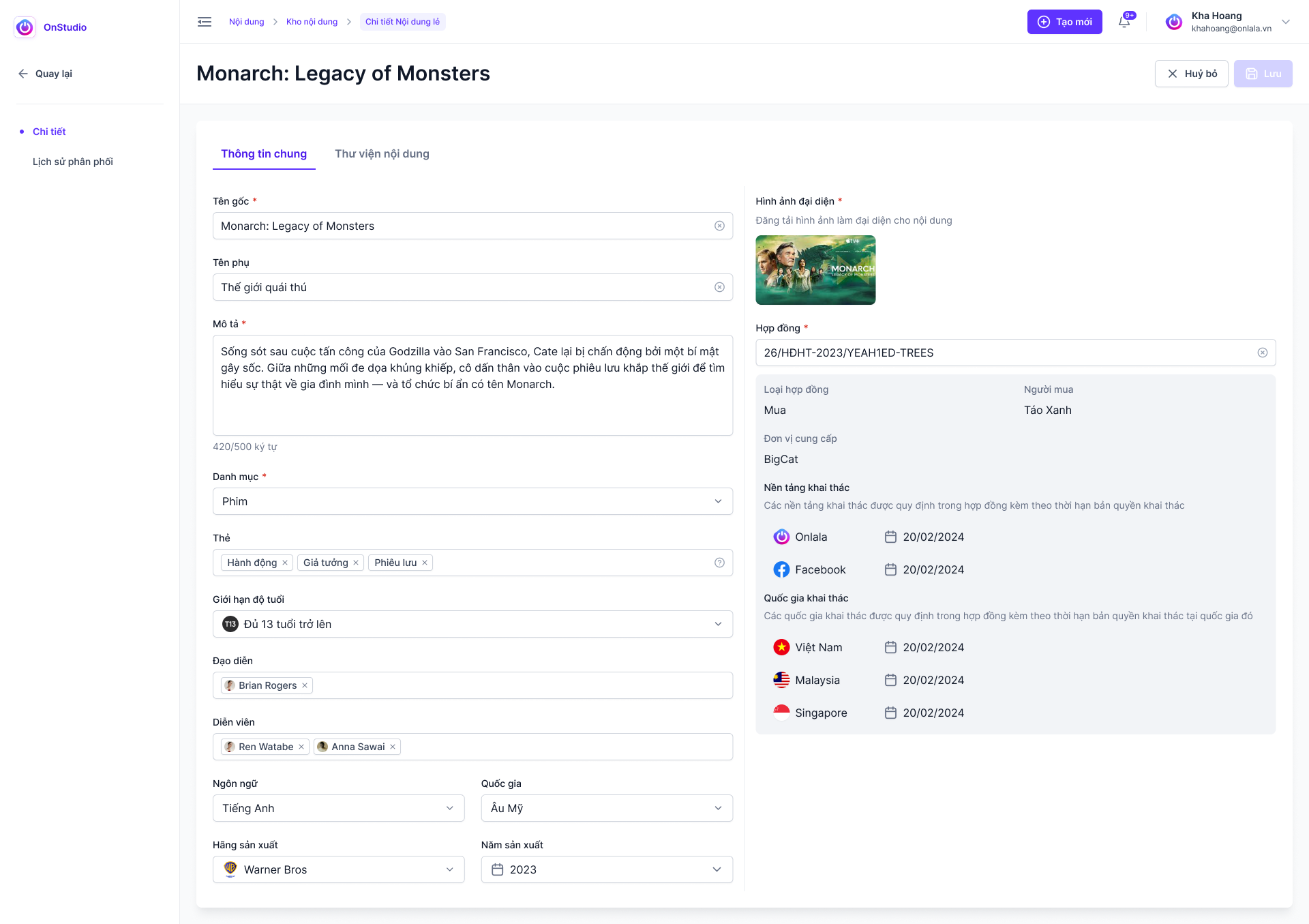
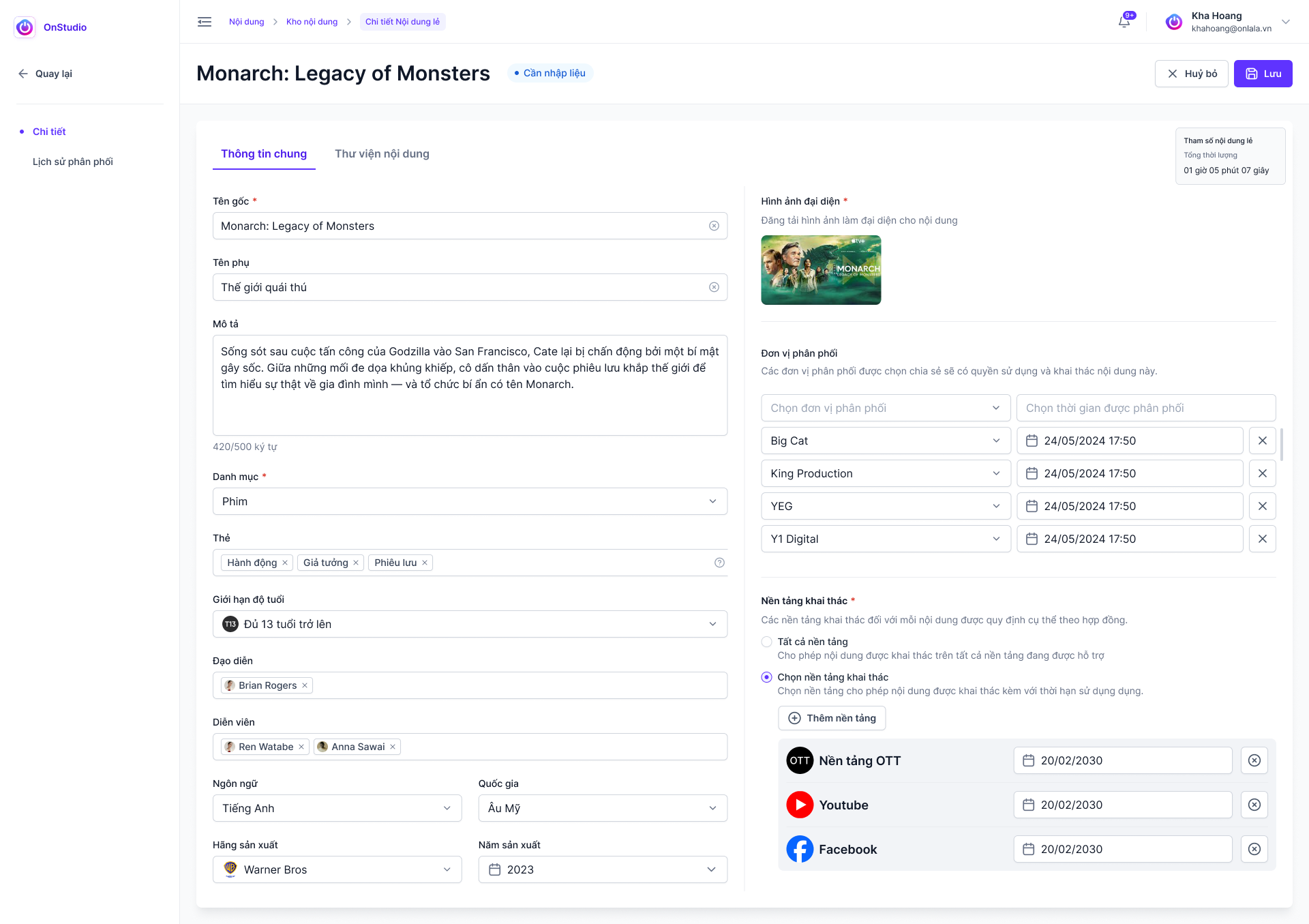
A filled editor brings content metadata and rights, availability and platform configuration into one detail workflow.

  • Content metadata
  • Rights and availability
  • Platform configuration
OnStudio — Keep metadata and rights together
Original Figma export
Scroll to explore the complete screen.
CHAPTER 02

Share & distribute

05 / 12

Define the sharing scope

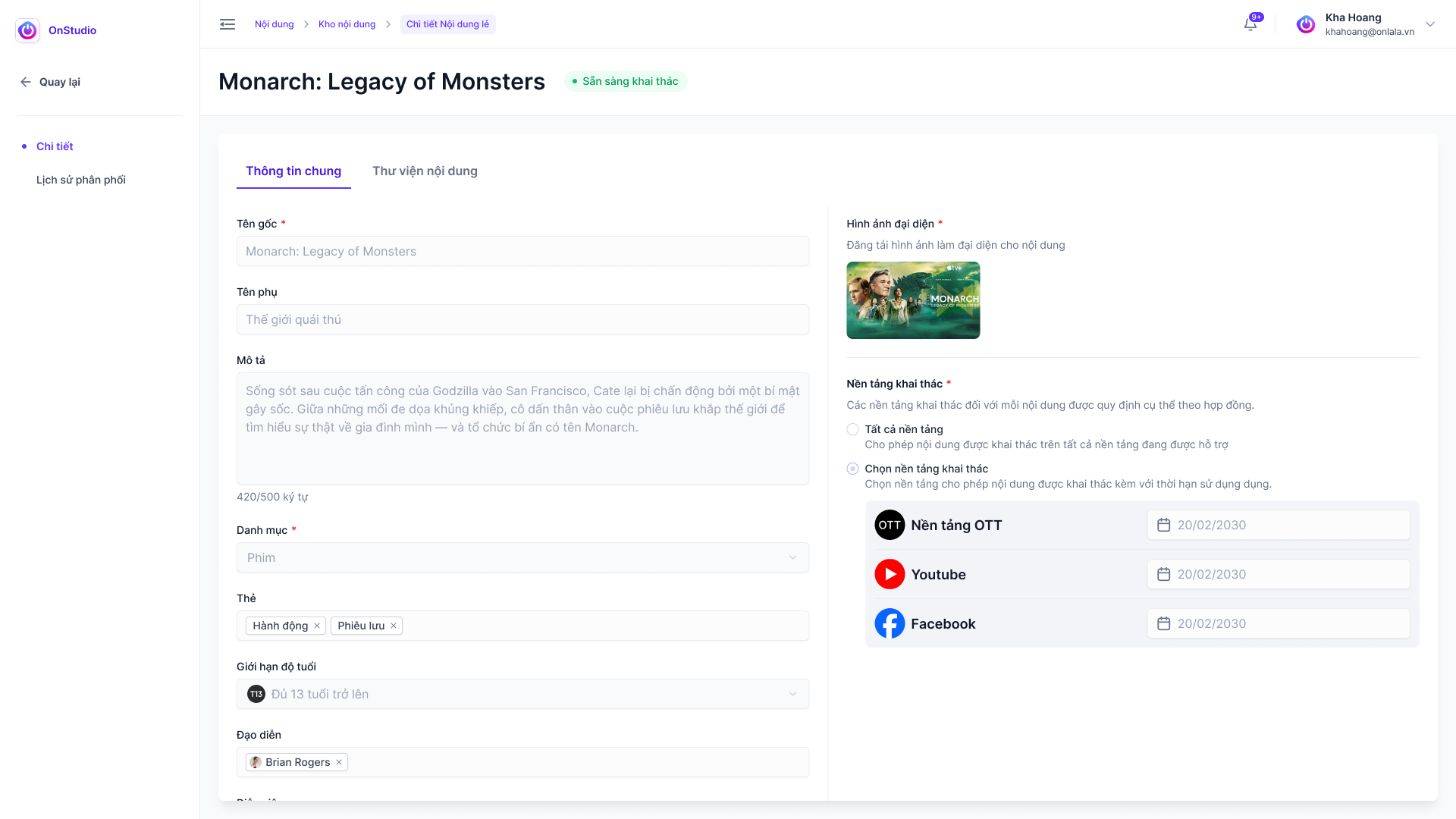
The content-sharing detail includes exploitation scope, platform and region information.

  • Sharing scope
  • Platform and region fields
OnStudio — Define the sharing scope
Original Figma export
06 / 12

Work with studio-supplied content

A studio-sharing view keeps content details and availability visible in the collaboration workflow.

  • Studio context
  • Content availability
OnStudio — Work with studio-supplied content
Original Figma export
Scroll to explore the complete screen.
07 / 12

Prepare content for its destination

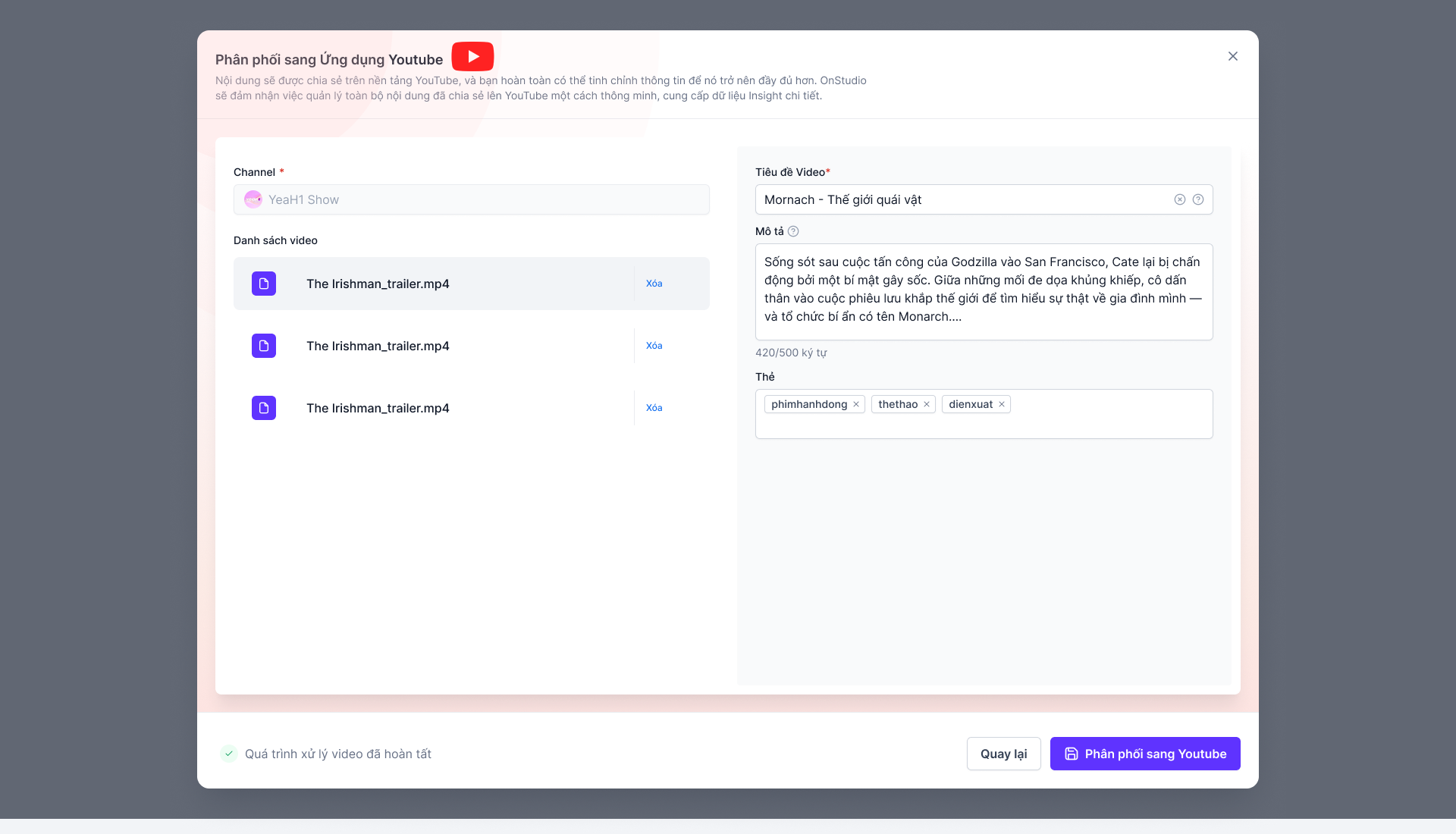
The original YouTube publishing flow keeps the channel, selected files, title, description, tags and processing state together.

  • Channel and video selection
  • Platform-specific fields
  • Processing and publishing states
OnStudio — Prepare content for its destination
Original Figma export
08 / 12

Keep distribution visible

The distribution list presents media alongside platform information and management controls.

  • Distribution records
  • Platform visibility
  • Management actions
OnStudio — Keep distribution visible
Original Figma export
CHAPTER 03

Measure library activity

09 / 12

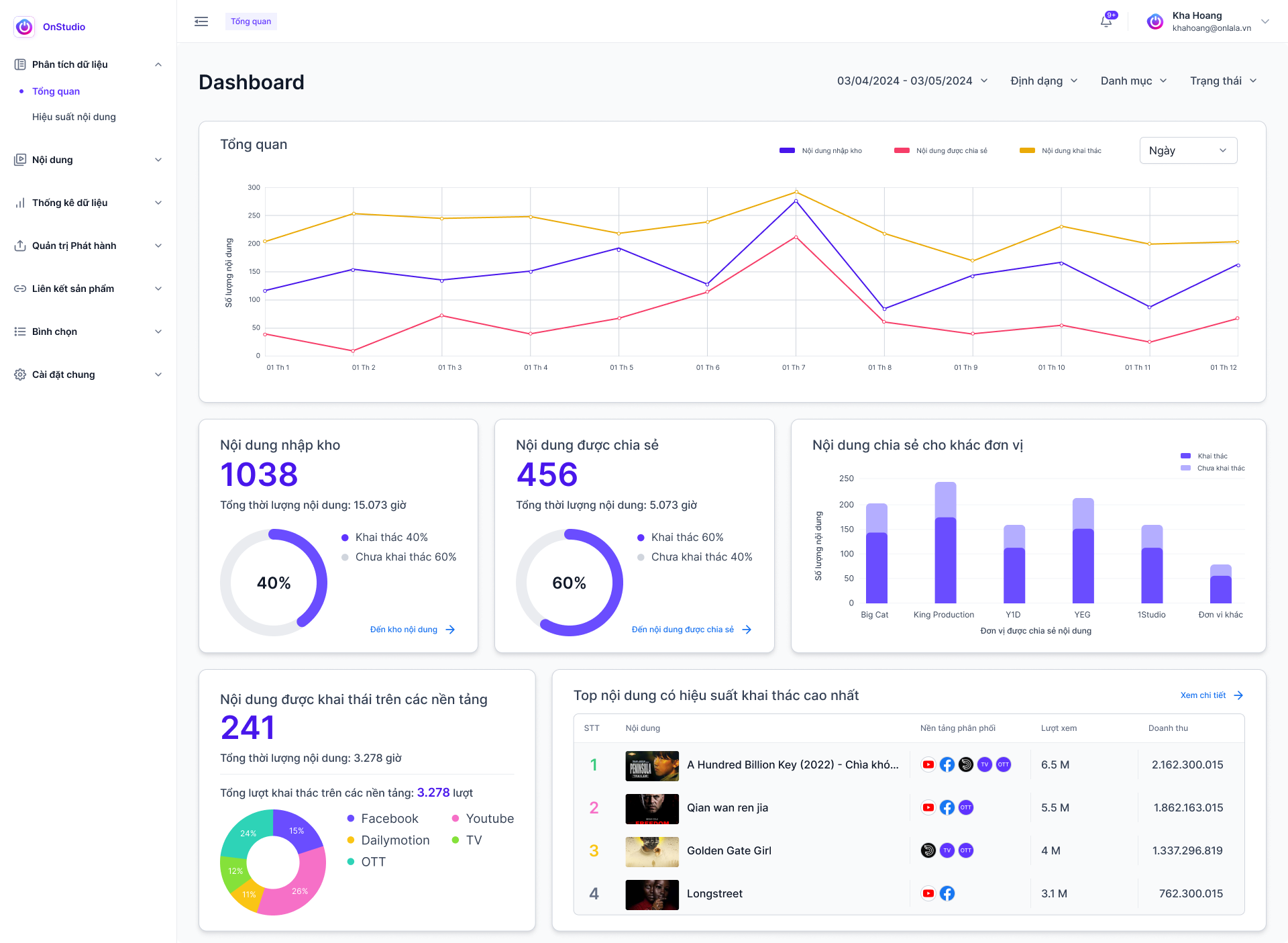
Read the activity of the library

Analytics combines a timeline, content totals and partner/platform breakdowns with performance rankings. All numbers are interface examples.

  • Timeline and content usage
  • Partner/platform breakdowns
  • Content ranking
OnStudio — Read the activity of the library
Original Figma export
Scroll to explore the complete screen.
10 / 12

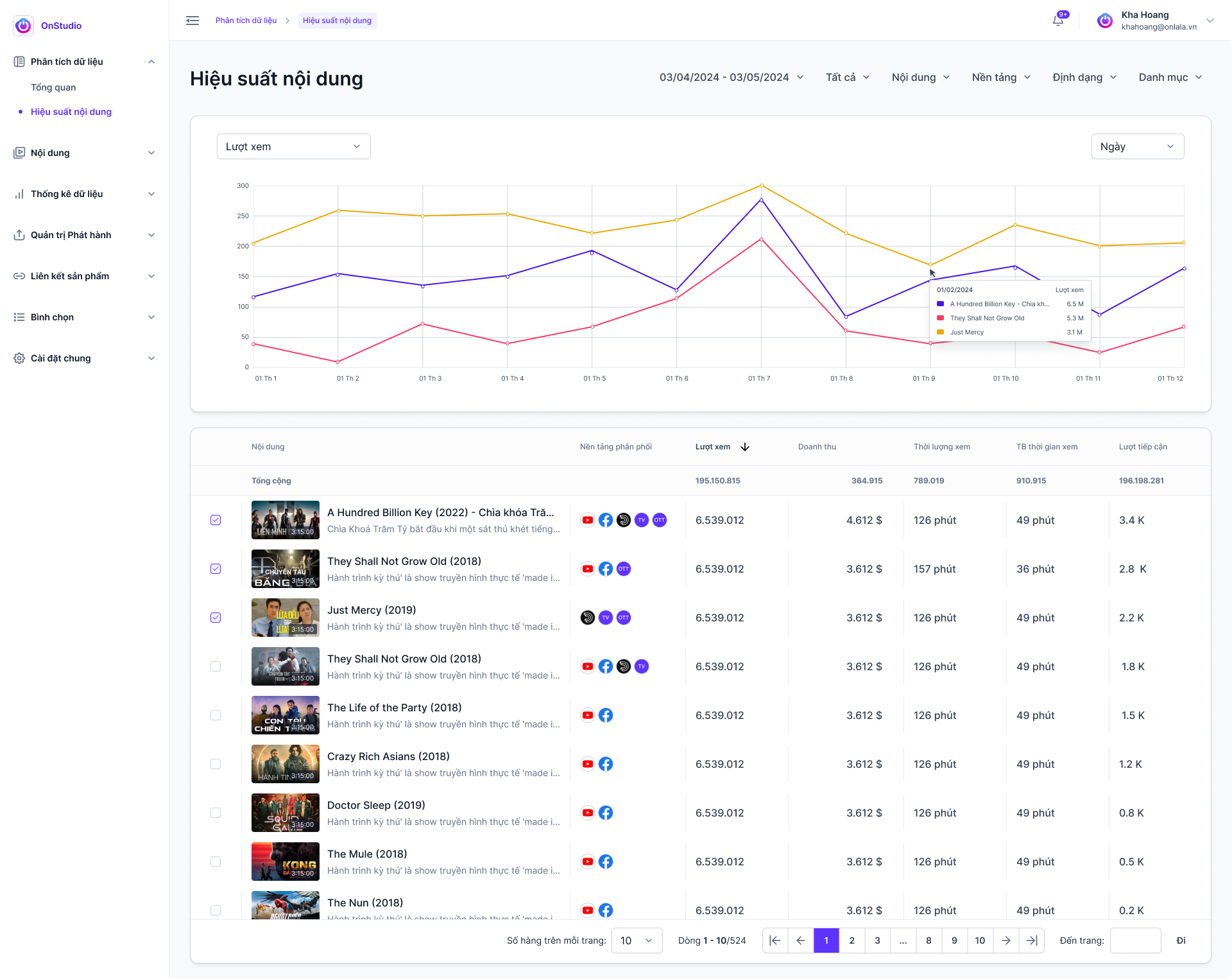
Look at one piece of content

A content-specific chart and comparison table offer a more focused performance view. Values are sample UI data.

  • Content performance chart
  • Comparison table
OnStudio — Look at one piece of content
Original Figma export
Scroll to explore the complete screen.
11 / 12

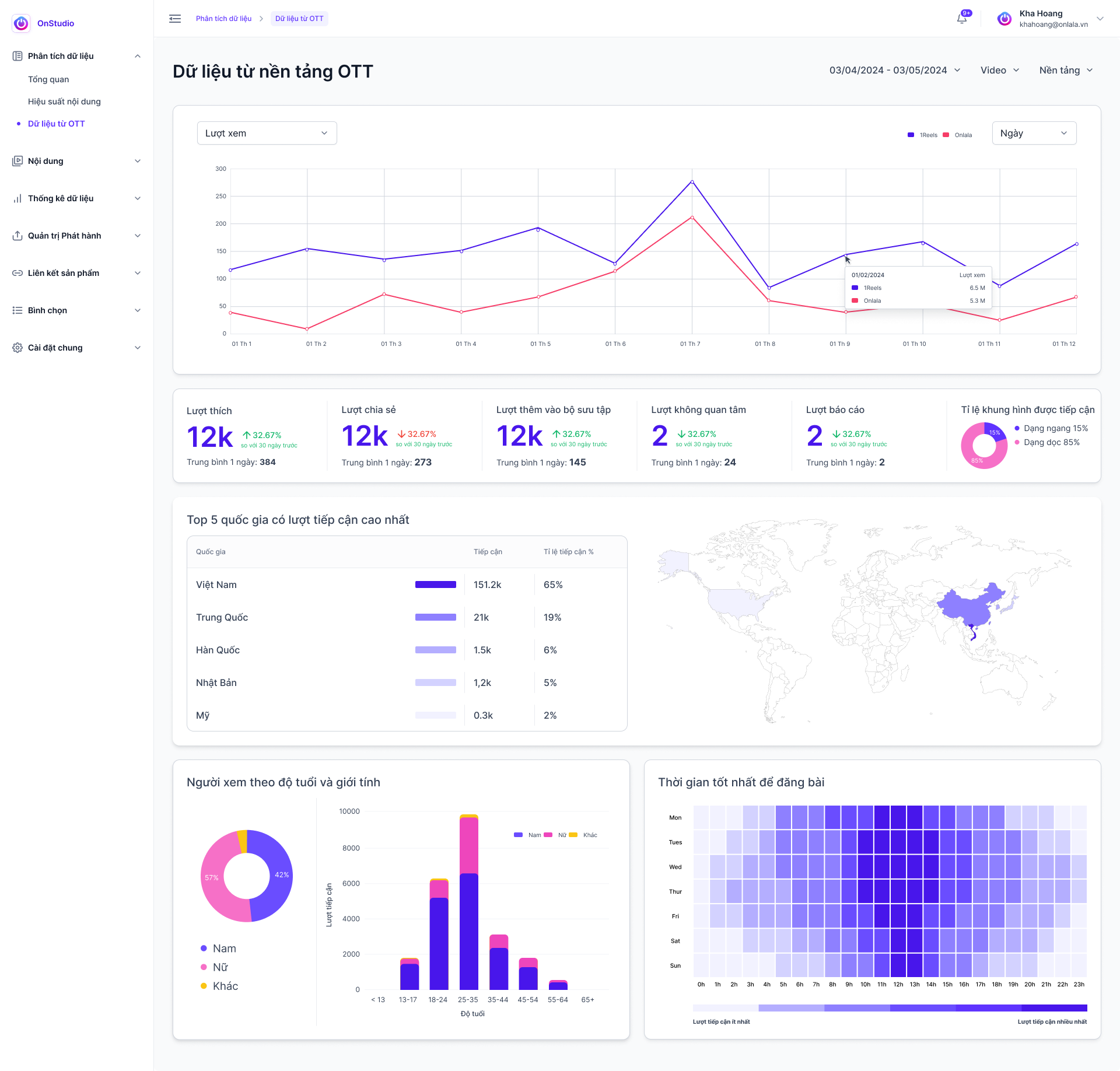
Explore OTT audience insight

The OTT view combines geography, demographics and an activity heatmap with audience modules.

  • Audience modules
  • Geography and demographics
  • Activity heatmap
OnStudio — Explore OTT audience insight
Original Figma export
Scroll to explore the complete screen.
12 / 12

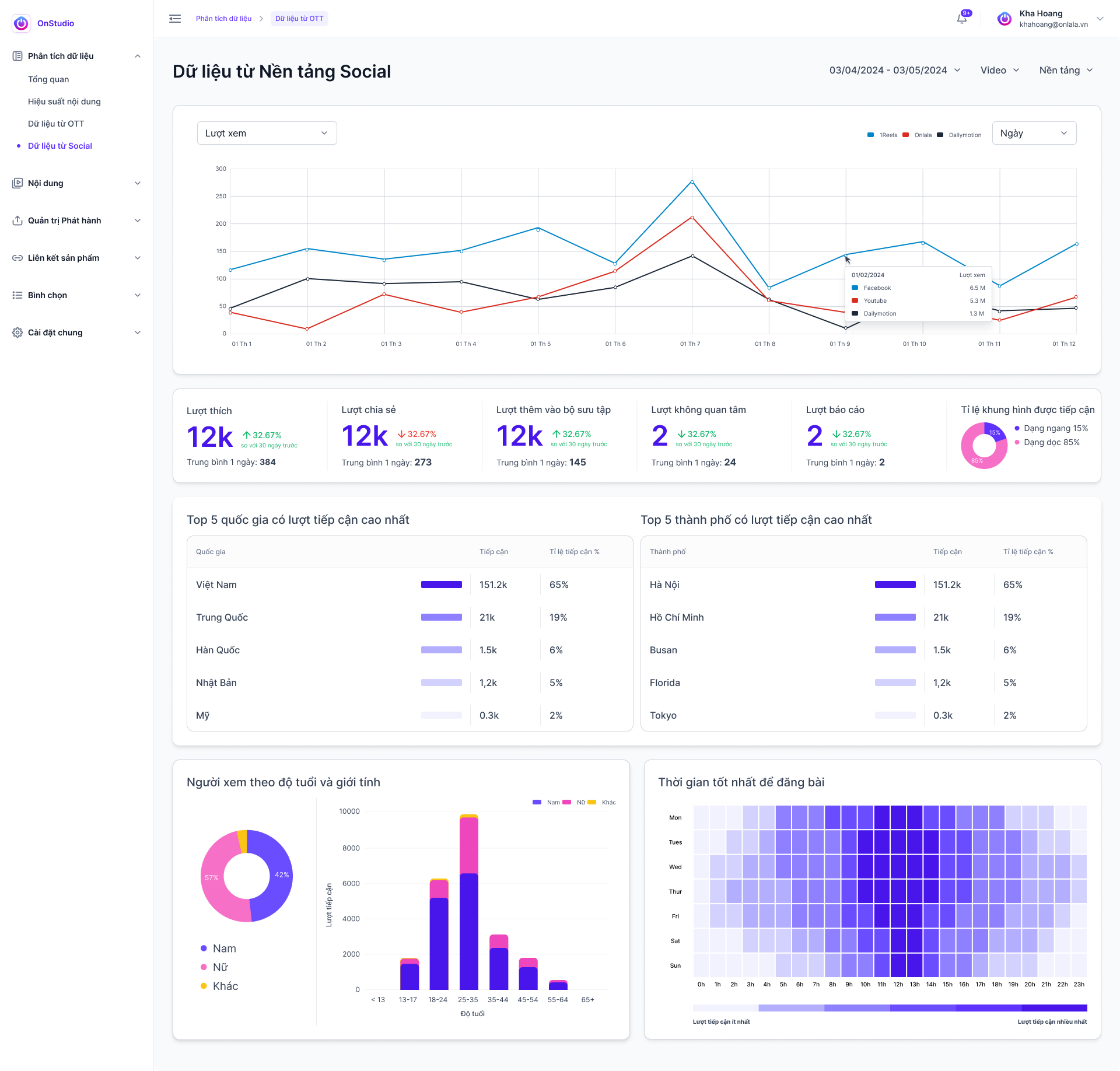
Explore social-platform insight

The social view presents its own metrics, geographic and demographic modules, and an activity heatmap.

  • Social-platform context
  • Audience breakdowns
  • Activity patterns
OnStudio — Explore social-platform insight
Original Figma export
Scroll to explore the complete screen.
03 / MY ROLE & COLLABORATION

My part
in the work.

ROLE DRAFT · FOR REVIEW

This role statement is a working draft for Kha Hoang to review. Final ownership and scope will be confirmed.

I worked with the team on organizing media-management interfaces, translating dense content information into clear screens and keeping publishing actions consistent with the wider workspace.

  1. Define information hierarchy for media operations
  2. Design library, detail and distribution interfaces
  3. Review shared interaction patterns with the team

Original supplied interface artwork is preserved. Any figures, names or prices within the UI are design content, not reported project outcomes.

KEEP EXPLORING / NEXT PROJECT1REELS

Let’s talk.

Have something in mind? Choose a way to get in touch.

LinkedInConnect with me
ZaloChat with me on Zalo
Emailkhahoangtm93@gmail.com
Phone0935 061 682