01 / ENTERTAINMENT OPERATIONS

Voting Admin Console

A workspace for the people running the vote.

An administration workspace for entertainment voting programs, bringing program setup, candidate management, award categories and activity records into structured operational views.
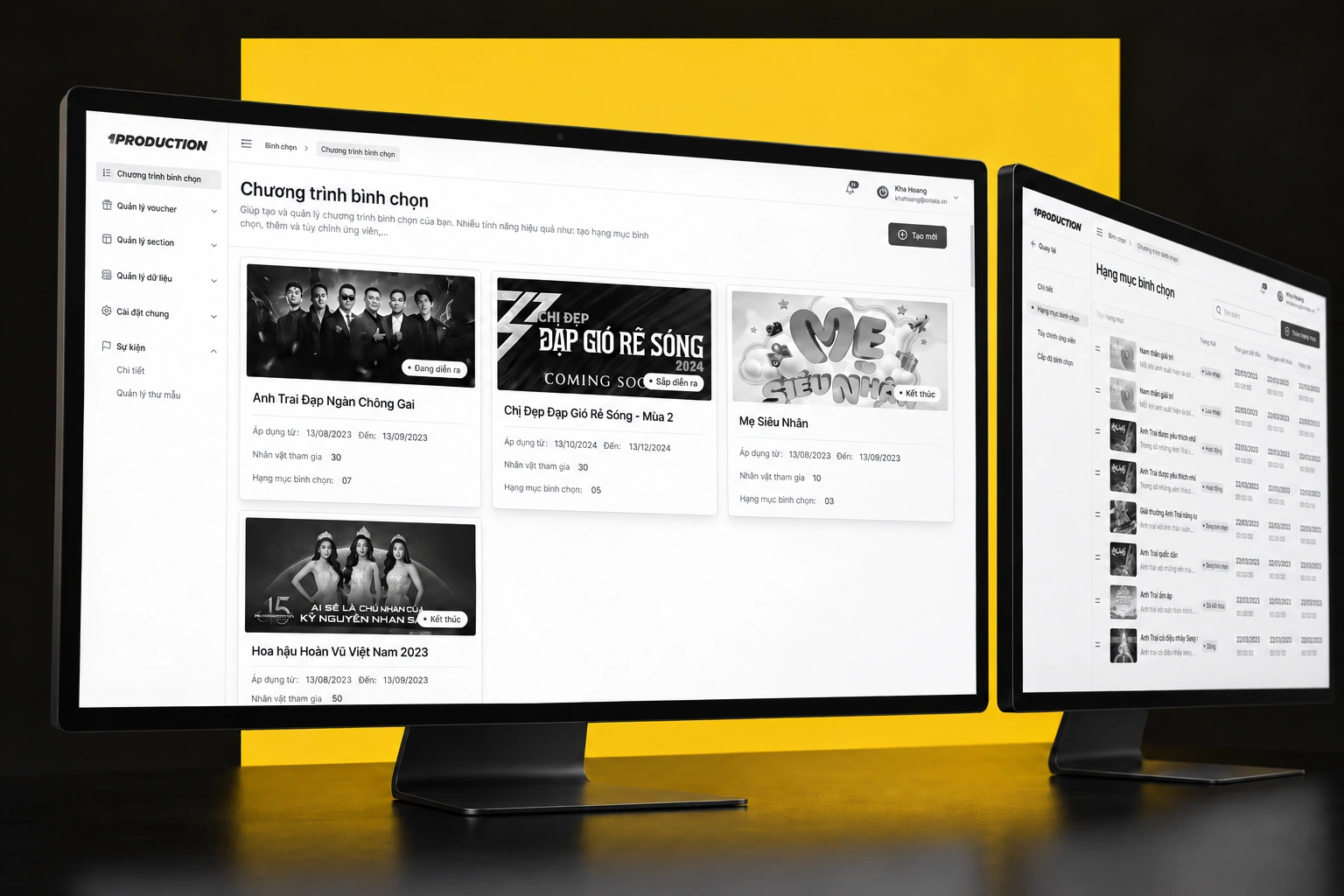
Voting Admin Console — curated device mockup composition
A project-specific composition using the original artwork.Selected screen views · scroll-frame excerpts where needed
PLATFORM / FORMAT
Desktop web application
CONTEXT
Entertainment operations
KEY CAPABILITIES
An overview of voting programs · Organize the candidates · Configure award categories
02 / THE PRODUCT IN DETAIL

From the overview to the details.

08 illustrated feature stories. Each follows a specific screen or use case. Open any image for a closer view.

CHAPTER 01

Set up the voting program

01 / 08

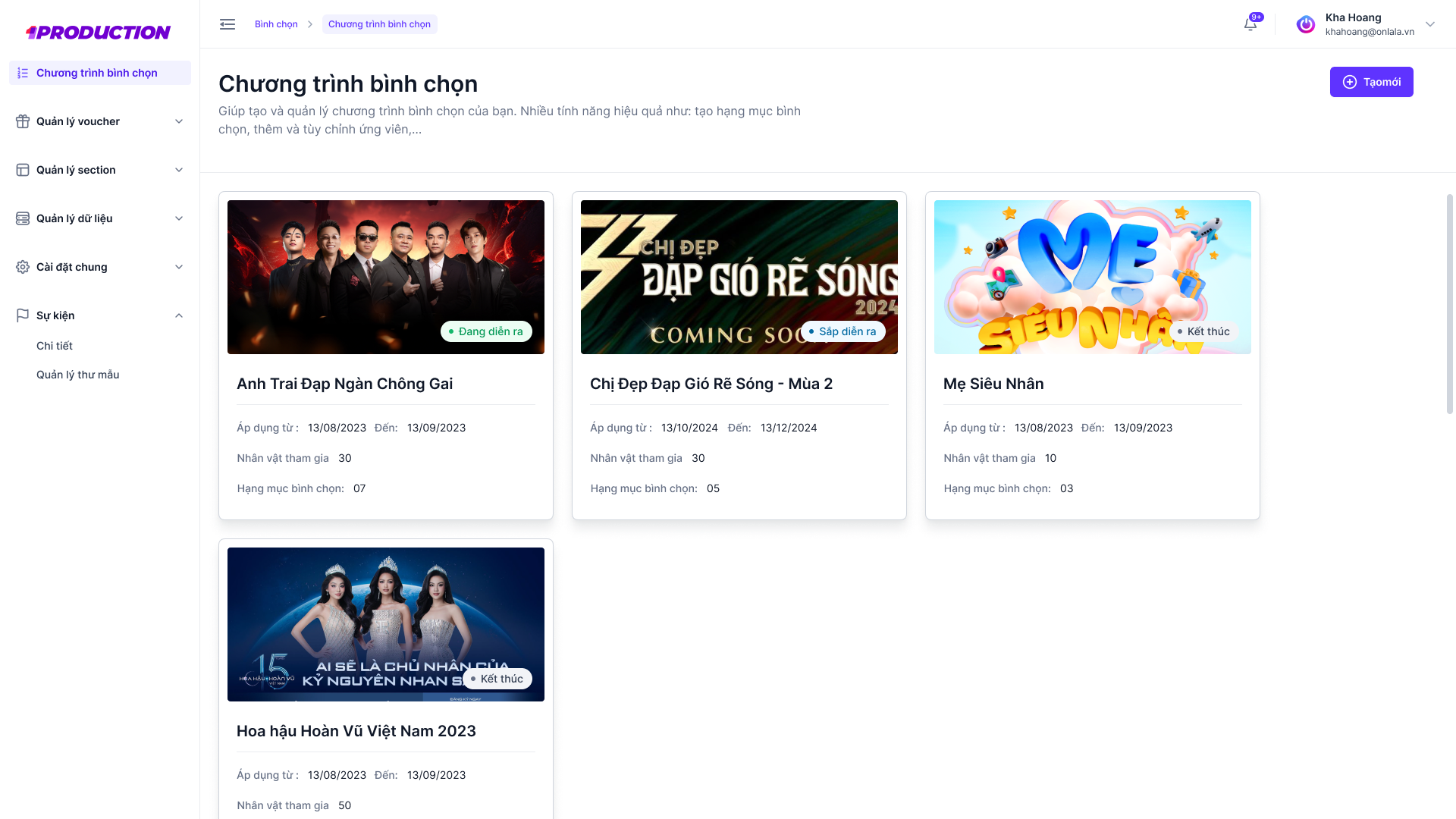
An overview of voting programs

Program cards present the shows managed from the Y Vote workspace.

  • Program overview
  • Show-based entry points
Voting Admin Console — An overview of voting programs
Y Vote workspace · original Figma
02 / 08

Organize the candidates

A structured candidate list keeps identity and management information together.
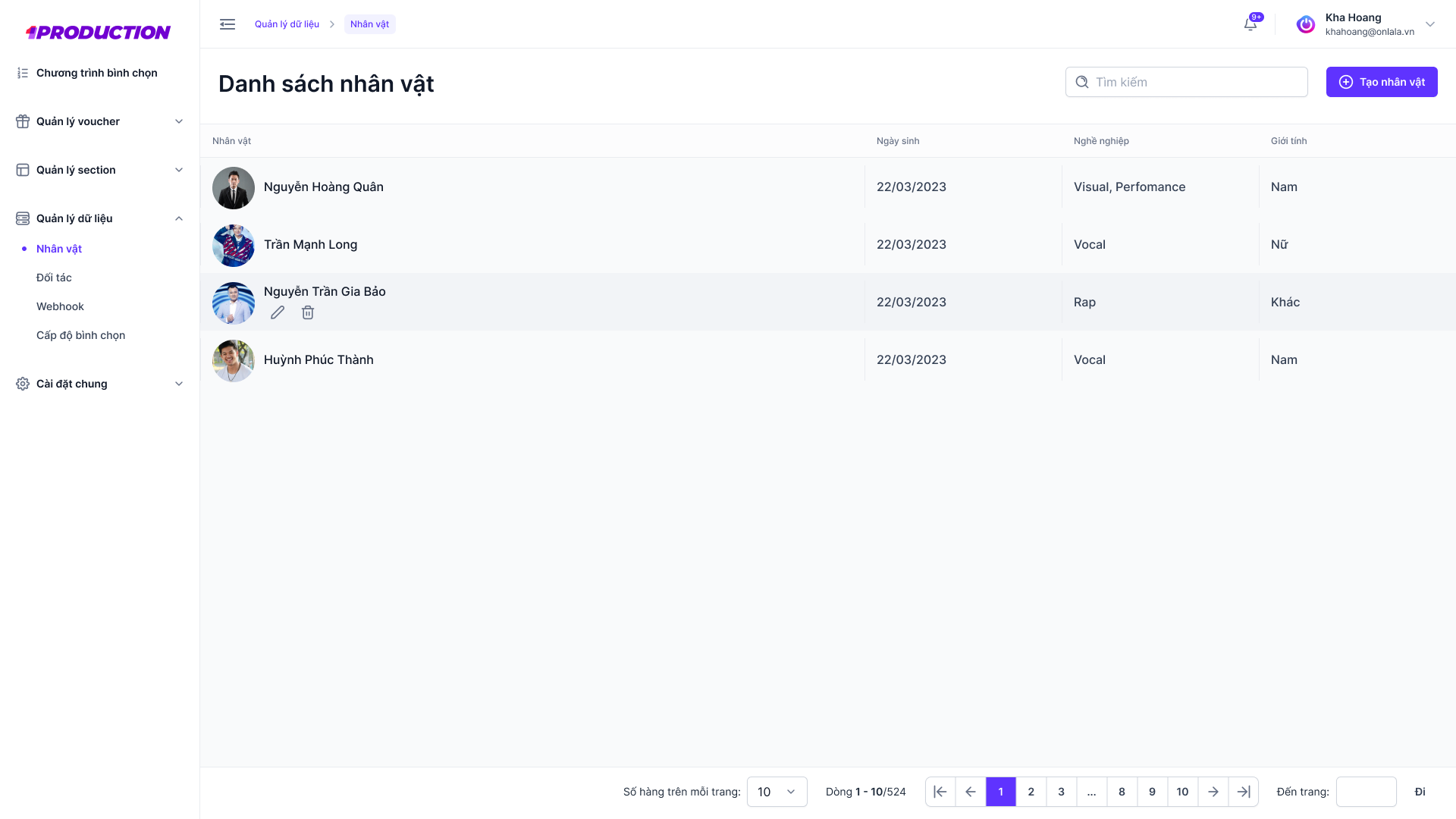
  • Candidate table
  • Administrative actions
Voting Admin Console — Organize the candidates
Voting AC developer handoff · original Figma
03 / 08

Configure award categories

The category screen brings award information and related actions into a consistent administration pattern.
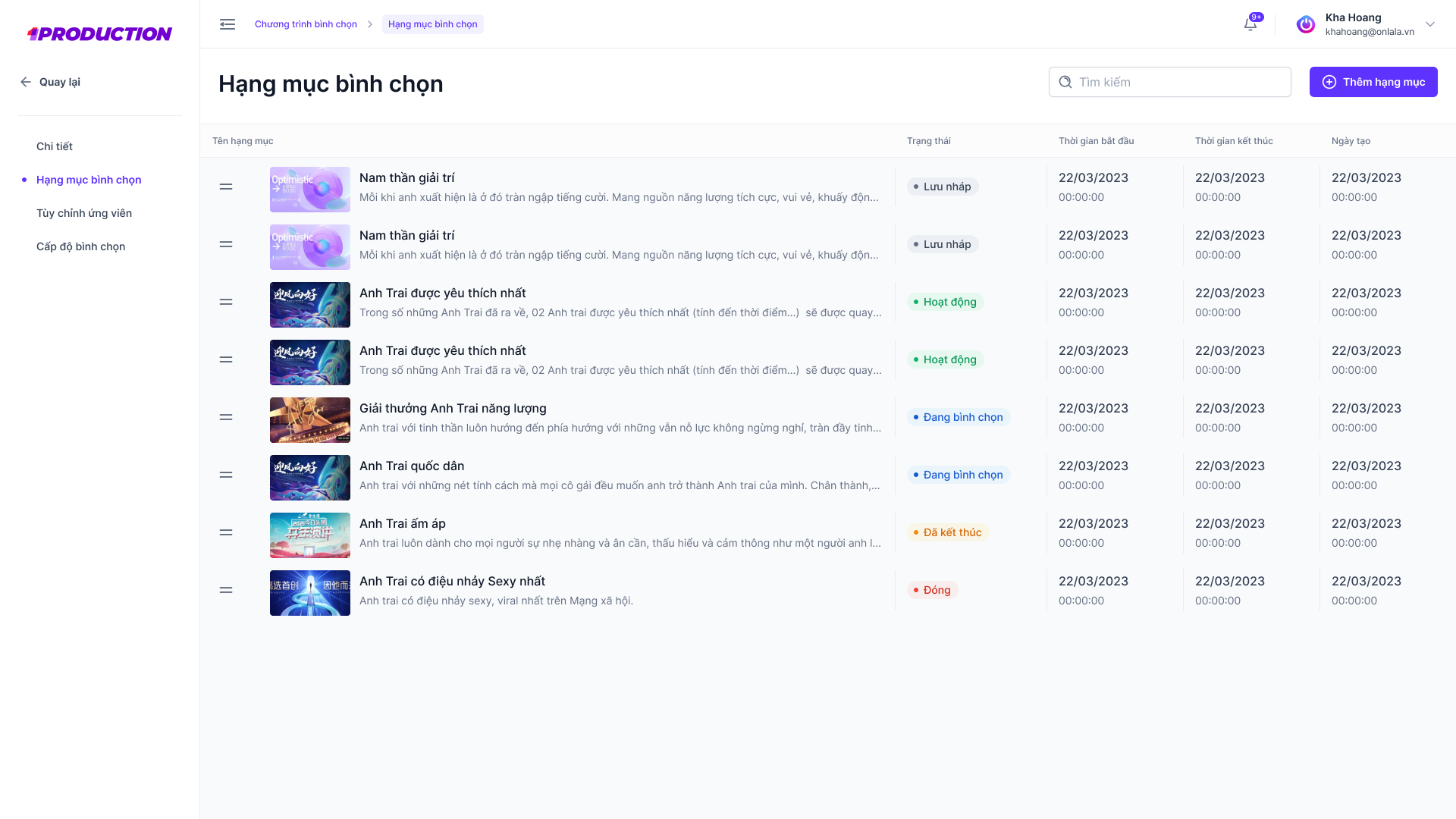
  • Award categories
  • Configuration controls
Voting Admin Console — Configure award categories
Voting AC developer handoff · original Figma
CHAPTER 02

Partners & participation

04 / 08

Keep partner records organized

A partner list adds a separate operational view to the voting workspace.
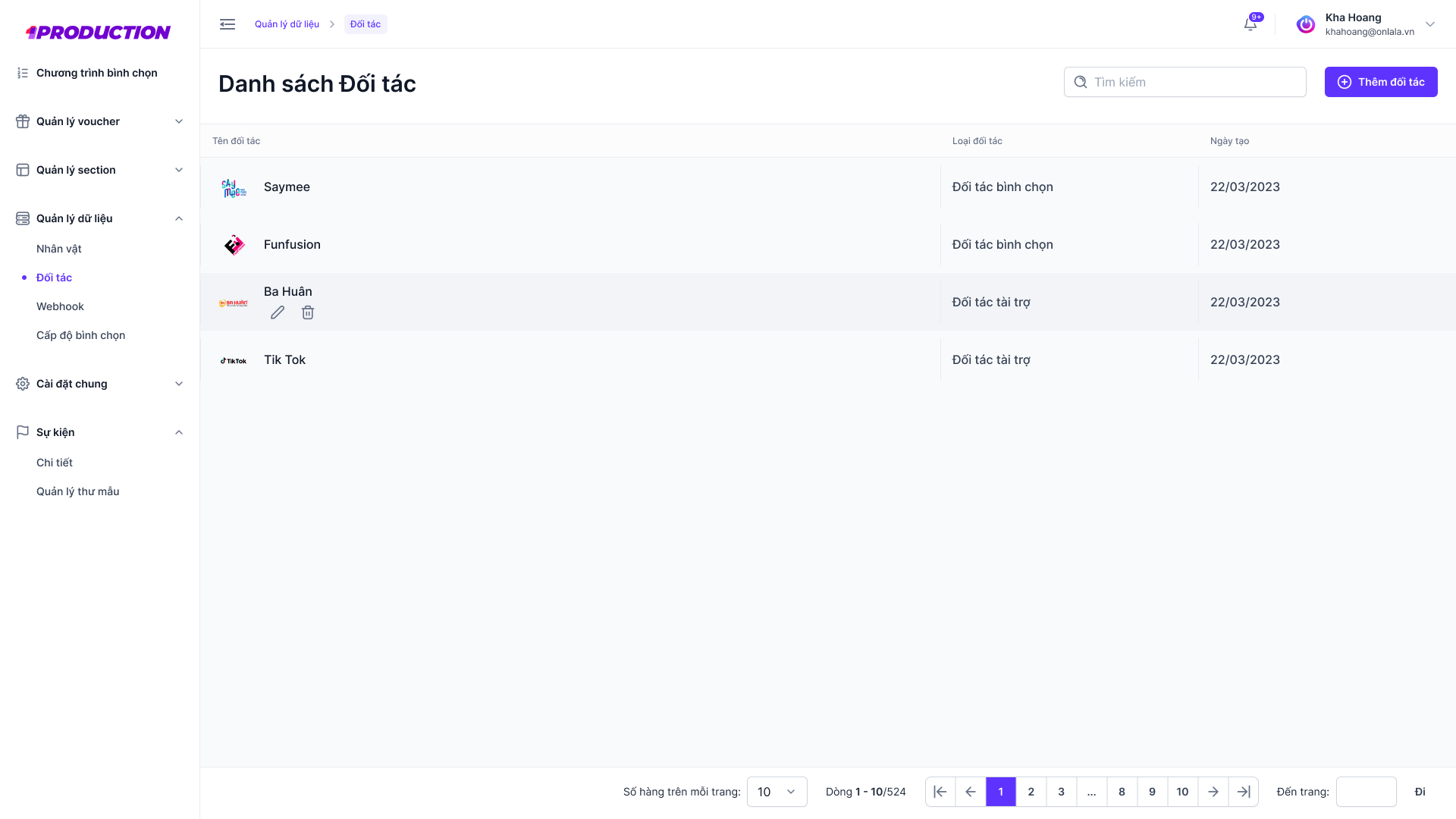
  • Partner records
  • Management actions
Voting Admin Console — Keep partner records organized
Original Figma export
05 / 08

Capture partner details

A focused partner-details dialog organizes the entry fields. The gray backdrop is part of the original interaction state.
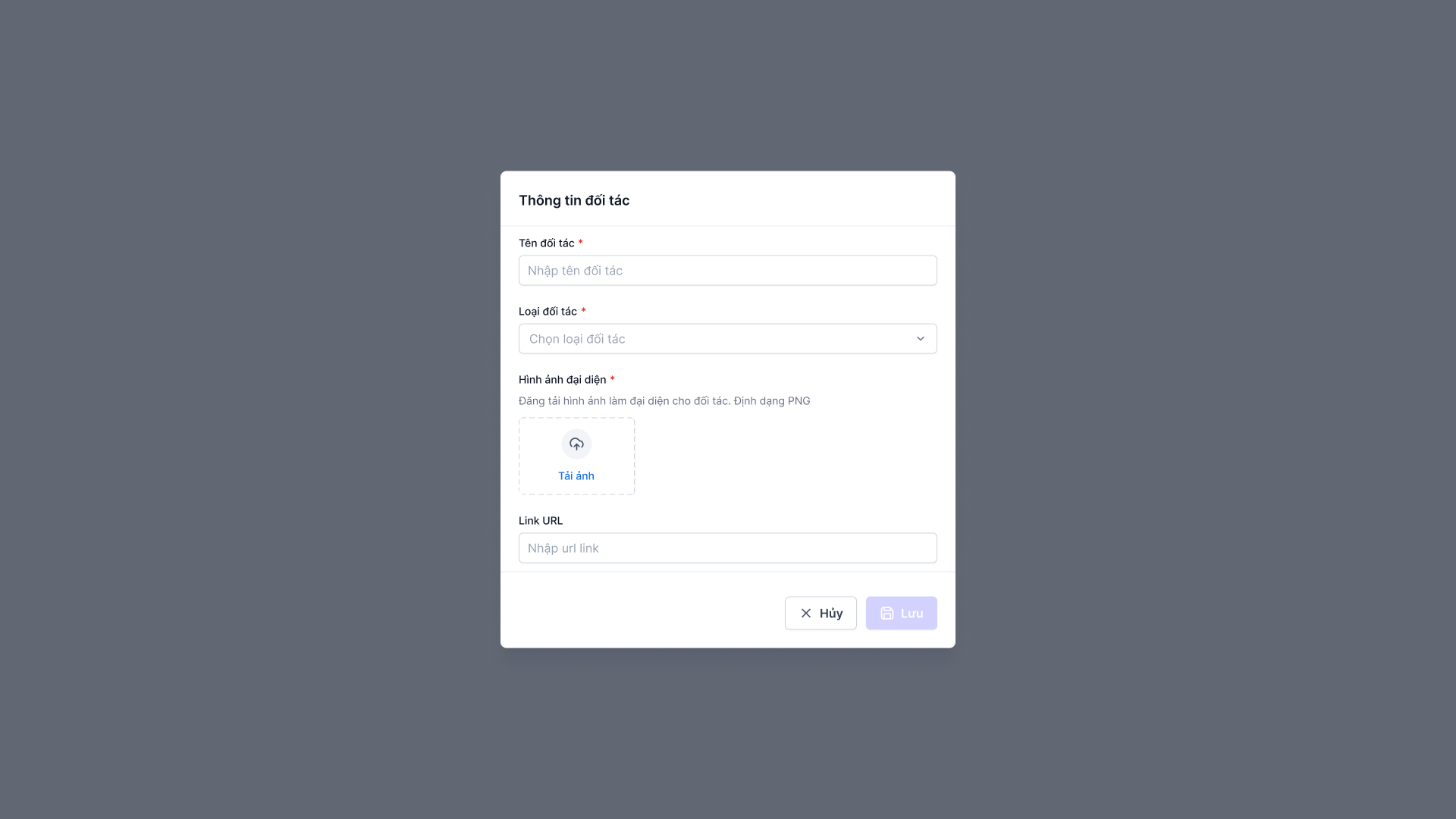
  • Focused details dialog
  • Record entry
Voting Admin Console — Capture partner details
Original Figma export
06 / 08

Configure participation levels

A configuration list presents voting or fan-level settings within the workspace.
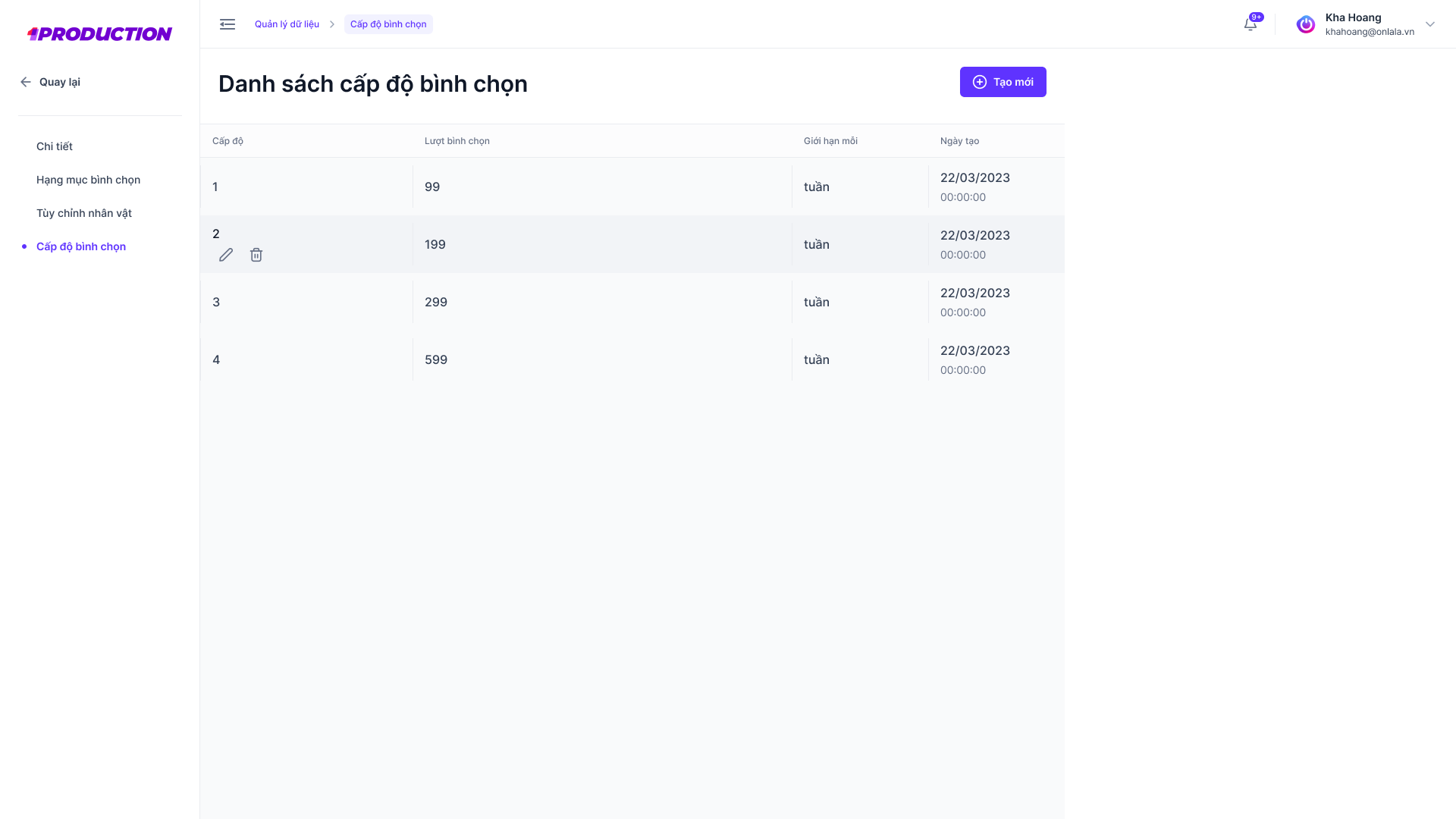
  • Level configuration
  • Participation settings
Voting Admin Console — Configure participation levels
Original Figma export
CHAPTER 03

Configuration & traceability

07 / 08

Start from an empty survey

The survey-builder screen shows the initial configuration state, before a completed survey is populated.
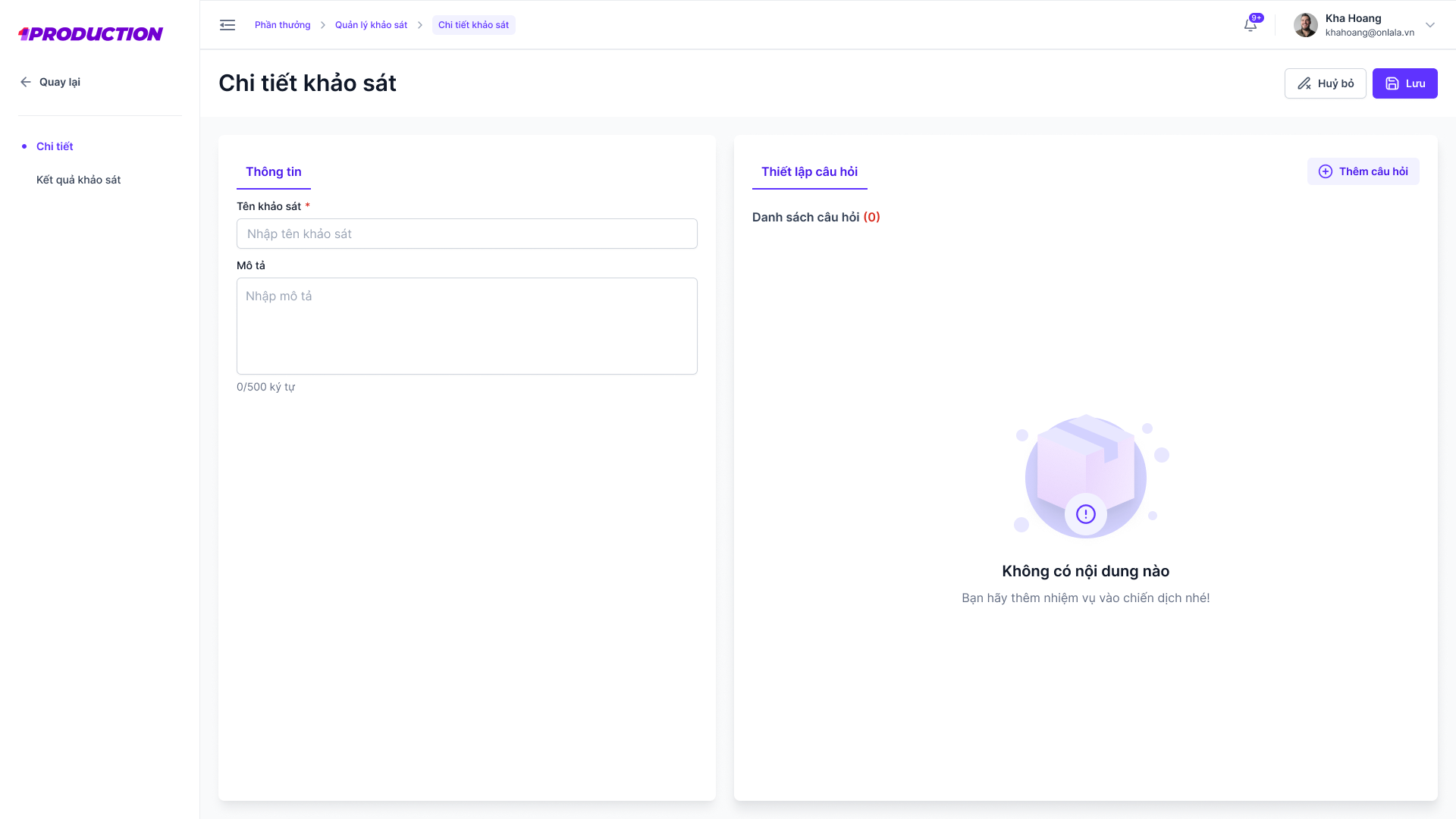
  • Empty builder state
  • Survey configuration
Voting Admin Console — Start from an empty survey
Original Figma export
08 / 08

Trace system activity

The system log presents administrative actions, users and timestamps in a table-based record.
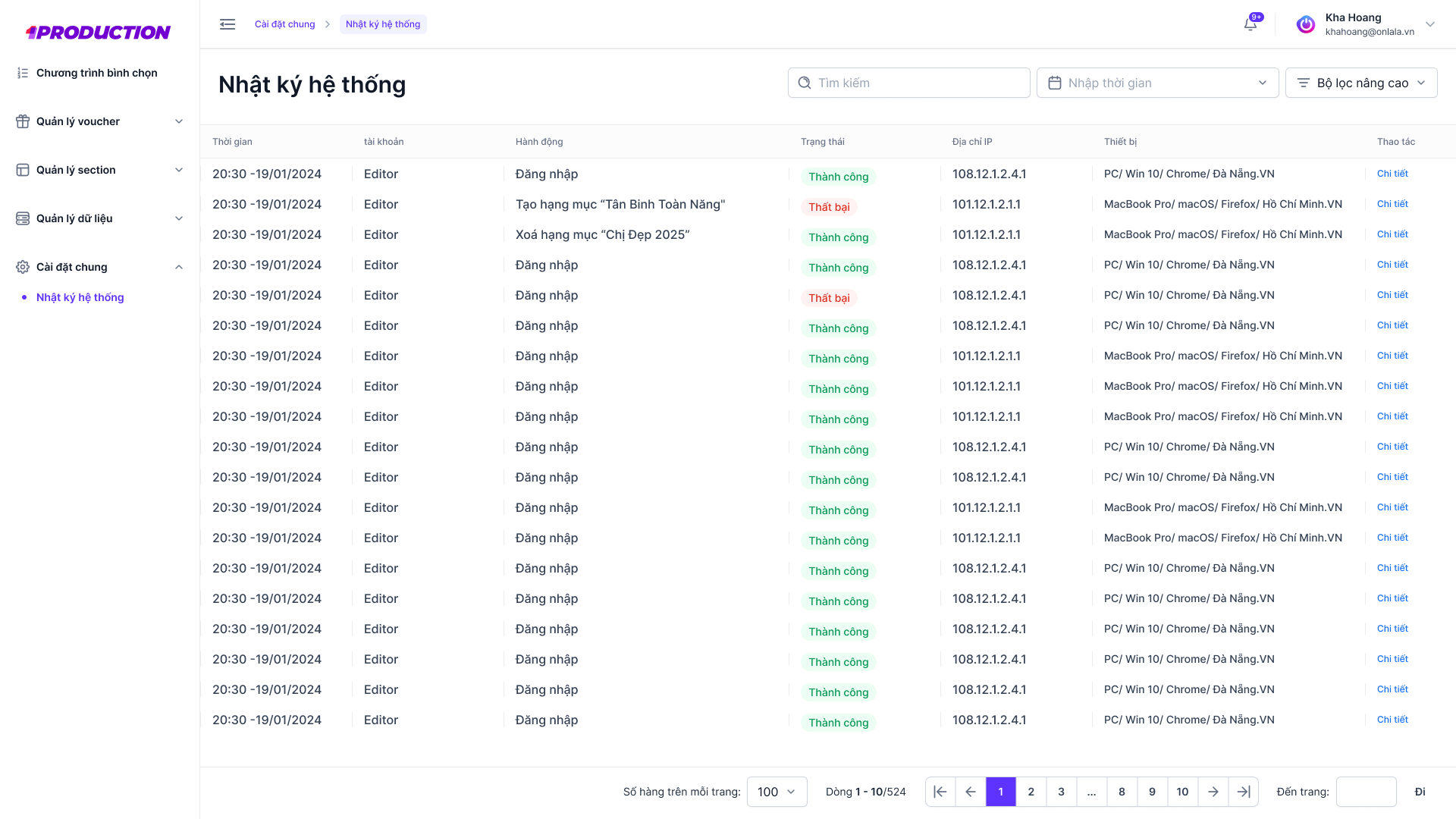
  • Activity records
  • Operational traceability
Voting Admin Console — Trace system activity
Voting AC developer handoff · original Figma
03 / MY ROLE & COLLABORATION

My part
in the work.

ROLE DRAFT · FOR REVIEW

This role statement is a working draft for Kha Hoang to review. Final ownership and scope will be confirmed.

I worked with the team on voting administration interfaces, structuring program, candidate and category management and helping keep operational actions consistent across the workspace.

  1. Design program and candidate-management layouts
  2. Maintain consistent administration patterns
  3. Prepare clear states for collaborative handoff

Original supplied interface artwork is preserved. Any figures, names or prices within the UI are design content, not reported project outcomes.

KEEP EXPLORING / NEXT PROJECTVietcombank × Quán Nhà HAHA

Let’s talk.

Have something in mind? Choose a way to get in touch.

LinkedInConnect with me
ZaloChat with me on Zalo
Emailkhahoangtm93@gmail.com
Phone0935 061 682