01 / ENTERTAINMENT, GAMING & LOYALTY

HiPlay

Entertainment, play and progress in one app.

HiPlay brings video, films, short-form content, events and games into a mobile entertainment experience. Its Game Portal connects discovery with competitive play, while HPoint check-ins and missions create a visible path through rewards and progress.

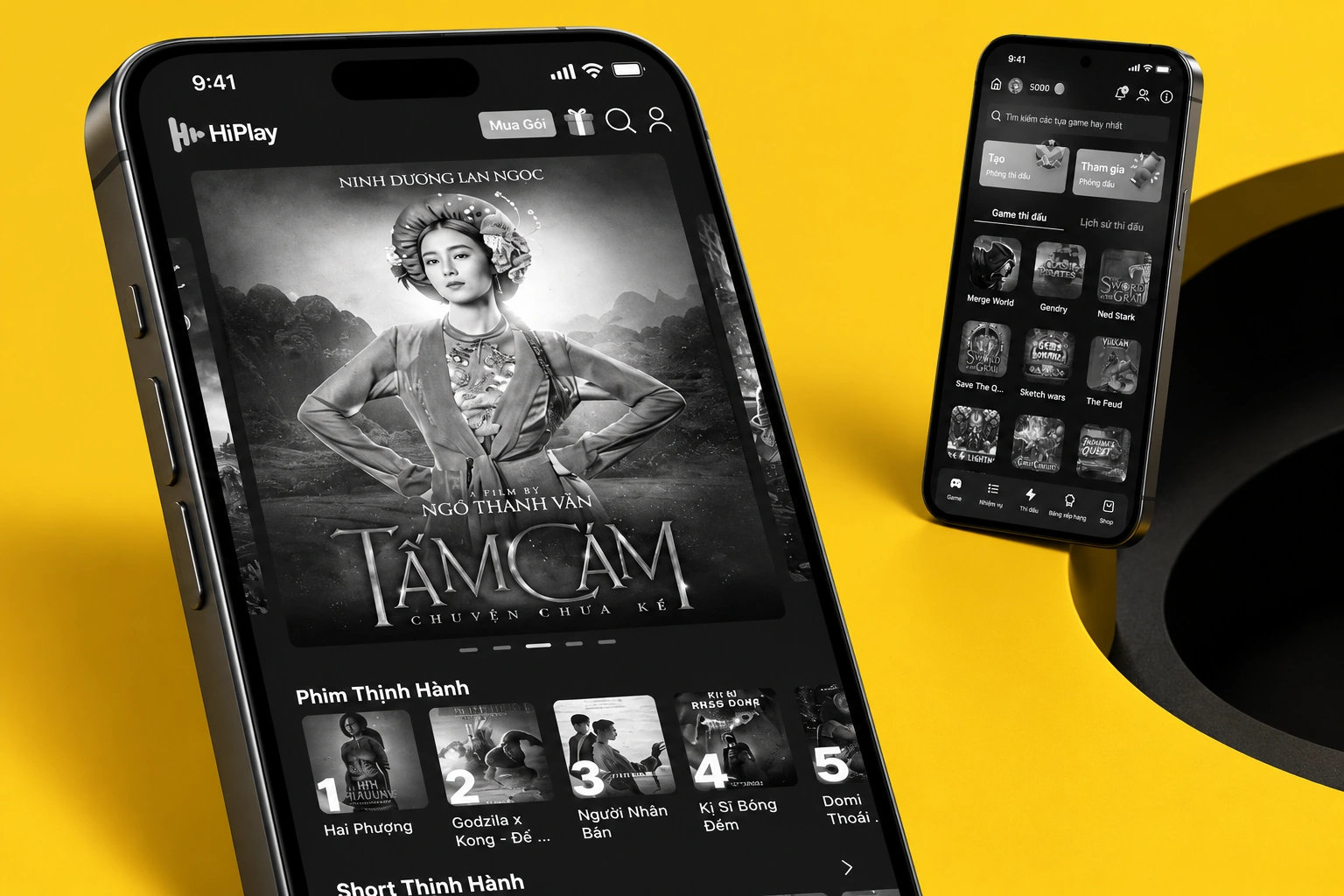
HiPlay — curated device mockup composition
A project-specific composition using the original artwork.Selected screen views · scroll-frame excerpts where needed
PLATFORM / FORMAT
Mobile application
CONTEXT
Entertainment, gaming & loyalty
KEY CAPABILITIES
One mobile home for entertainment · Browse the film catalog · A place for sports video
02 / THE PRODUCT IN DETAIL

From the overview to the details.

15 illustrated feature stories. Each follows a specific screen or use case. Open any image for a closer view.

CHAPTER 01

The entertainment app

01 / 15

One mobile home for entertainment

The full-app home brings films, video, shorts, events and games into a long, content-rich entertainment feed.

  • Entertainment discovery
  • Multiple content formats
  • A shared mobile starting point
HiPlay — One mobile home for entertainment
HiPlay full app · original Figma
Scroll to explore the complete screen.
02 / 15

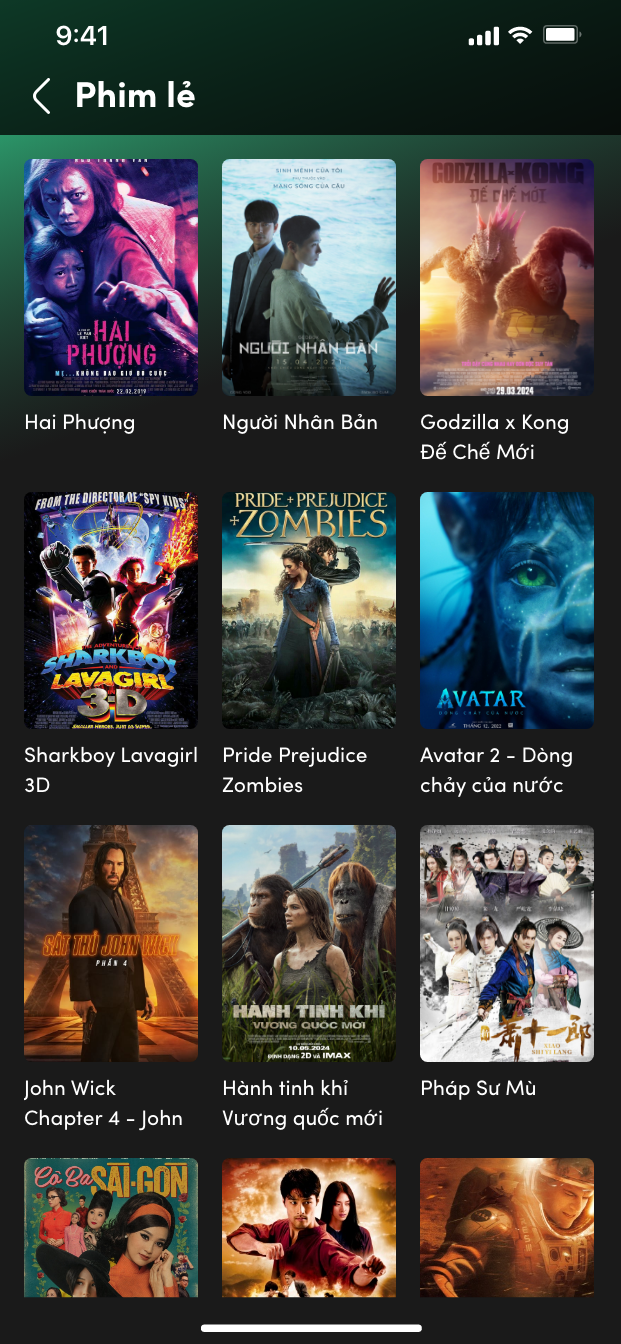
Browse the film catalog

A poster grid gives movies a dedicated browsing surface in the full app.

  • Movie poster grid
  • Content discovery
HiPlay — Browse the film catalog
Original Figma export
03 / 15

A place for sports video

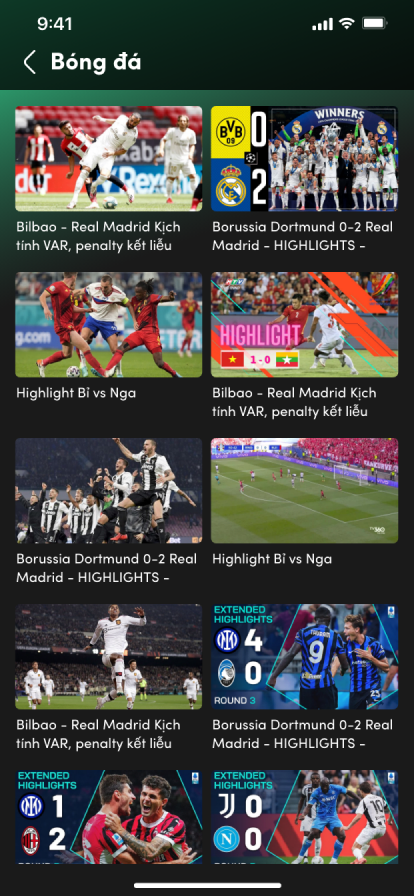
A separate sports catalog organizes available videos in a grid. This is a browsing screen rather than a player.

  • Sports video grid
  • Catalog browsing
HiPlay — A place for sports video
Original Figma export
04 / 15

Take part in live content

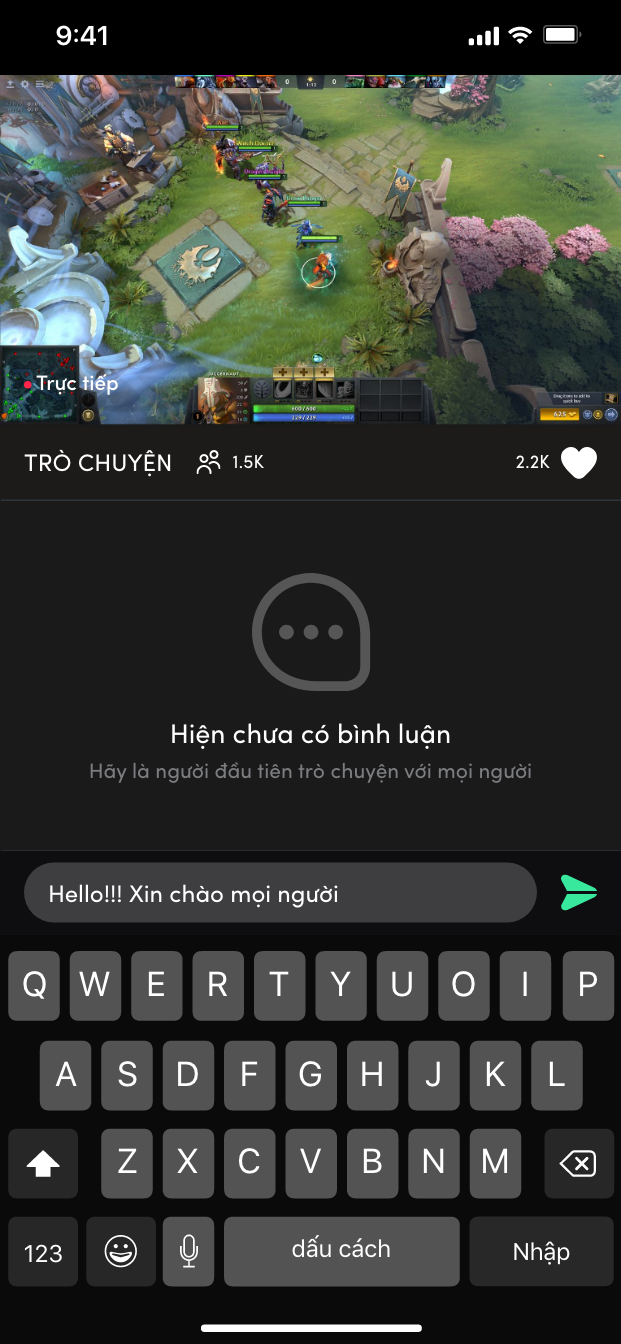
A live-content and chat state shows the keyboard and conversation within the event experience.

  • Live-content context
  • Chat input state
HiPlay — Take part in live content
Original Figma export
05 / 15

A focused short-form player

The original short-video screen pairs a vertical player with surrounding content actions.

  • Vertical player
  • Content actions
HiPlay — A focused short-form player
Original Figma export
06 / 15

Compare access packages

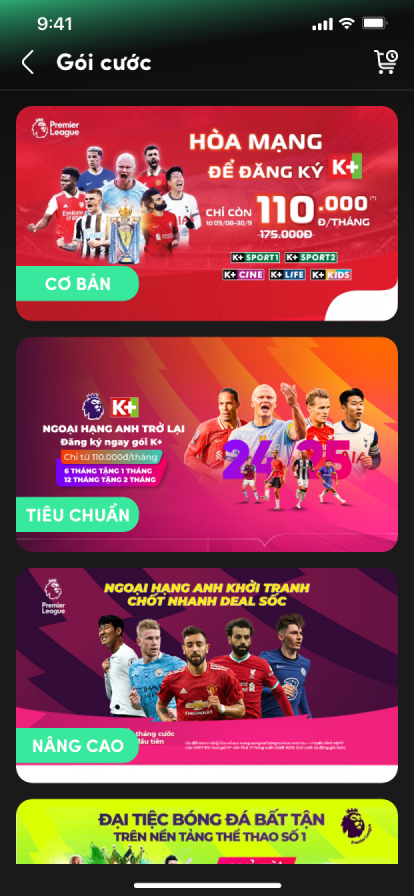
Subscription choices are presented as a dedicated full-app screen. Displayed values are design content.

  • Package choices
  • Paid-access hierarchy
HiPlay — Compare access packages
Original Figma export
CHAPTER 02

The Game Portal

07 / 15

A separate home for games

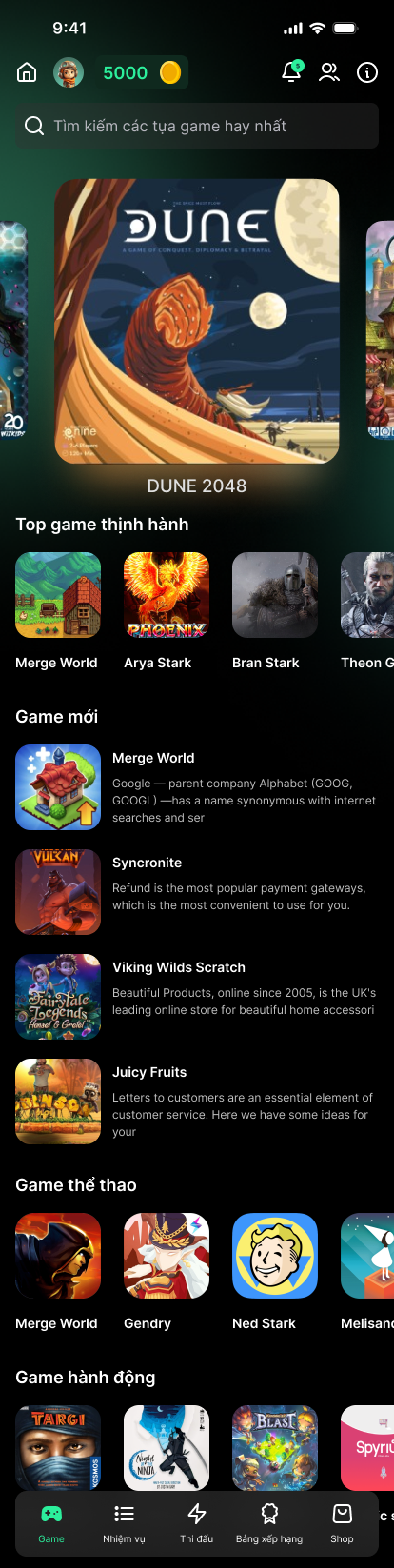
The Game Portal has its own discovery experience, with featured games, categories and new or trending lists.

  • Featured games
  • Categories and discovery
  • Game-specific navigation
HiPlay — A separate home for games
Game Portal · original Figma
Scroll to explore the complete screen.
08 / 15

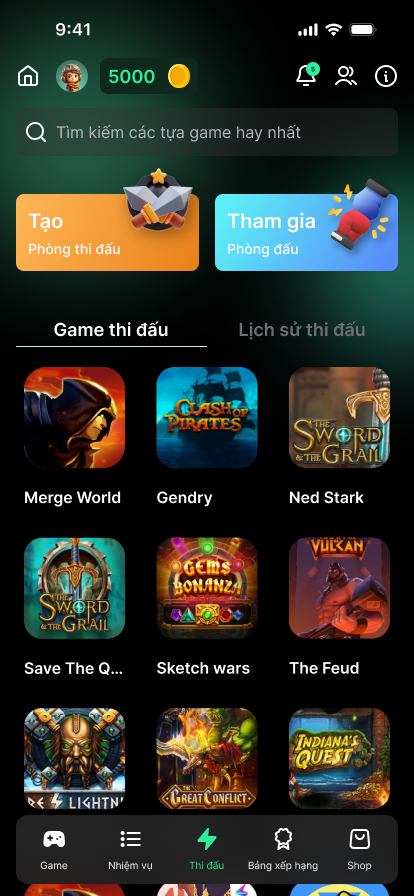
Create or join a competition

Competition screens connect the choice of a game with entry points for match rooms.

  • Create and join entry points
  • Competitive game selection
HiPlay — Create or join a competition
Game Portal · original Figma
CHAPTER 03

From match setup to result

09 / 15

Step 1 — set up the match

Game choice and room setup appear in the original create-match flow.

  • Game choice
  • Match setup
HiPlay — Step 1 — set up the match
Original Figma export
Scroll to explore the complete screen.
10 / 15

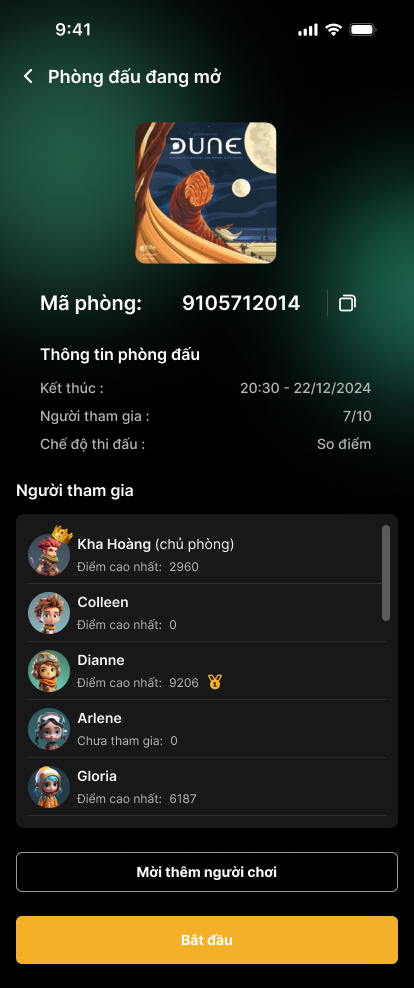
Step 2 — enter the room

The room screen brings players, settings and invitation context together.

  • Player presence
  • Room settings and invitations
HiPlay — Step 2 — enter the room
Original Figma export
Scroll to explore the complete screen.

11 / 15

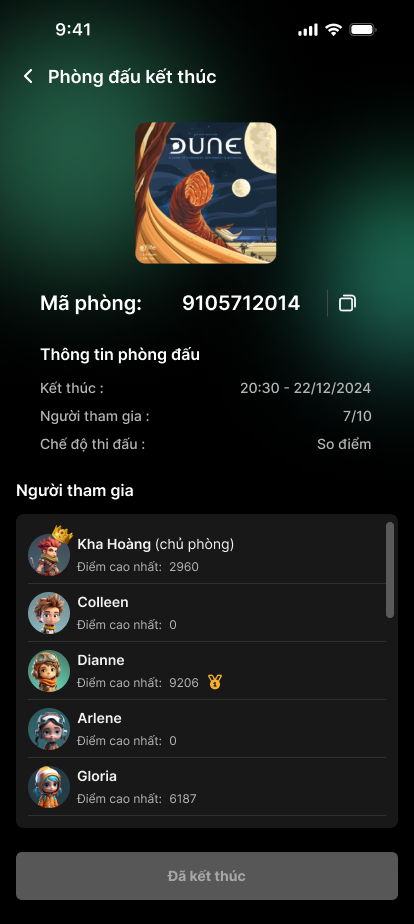
Step 3 — read the result

The result state gives the competition a dedicated outcome screen.

  • Match status
  • Result presentation
HiPlay — Step 3 — read the result
Original Figma export
Scroll to explore the complete screen.
CHAPTER 04

Player progress

12 / 15

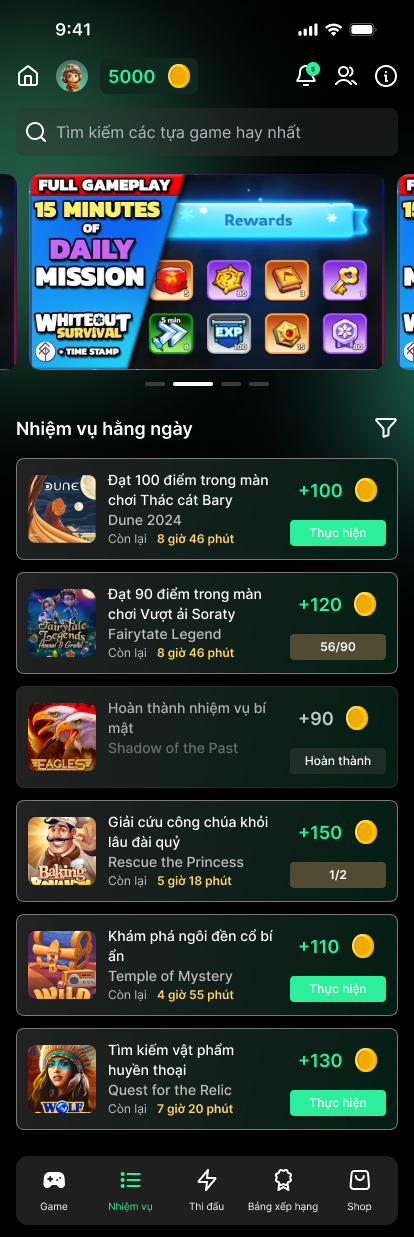
Make game missions readable

Daily missions bring point rewards and completion/progress information into a dedicated game workflow.

  • Daily game missions
  • Rewards and task progress
HiPlay — Make game missions readable
Game Portal · original Figma
Scroll to explore the complete screen.
13 / 15

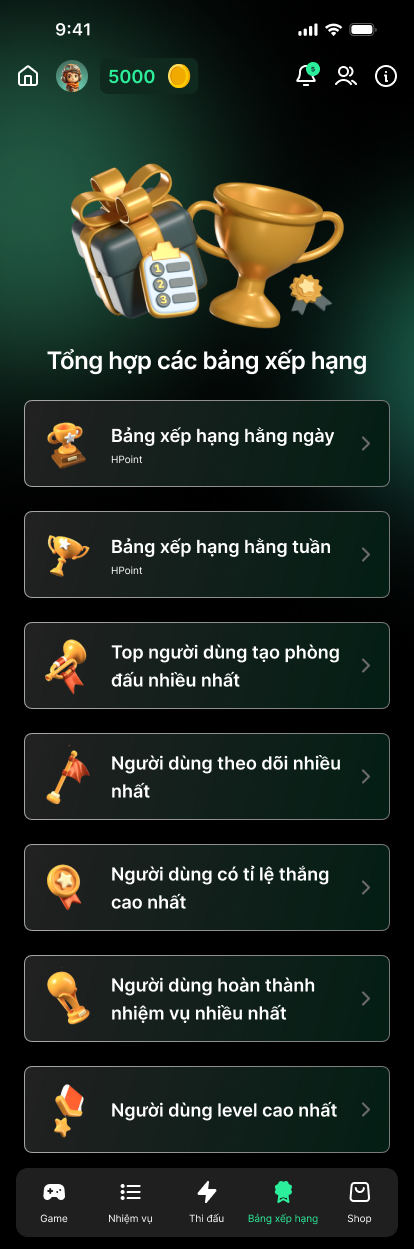
See player progress

Daily and weekly ranking categories offer a dedicated view of player achievements.

  • Ranking categories
  • Player achievements
HiPlay — See player progress
Game Portal · original Figma
Scroll to explore the complete screen.
14 / 15

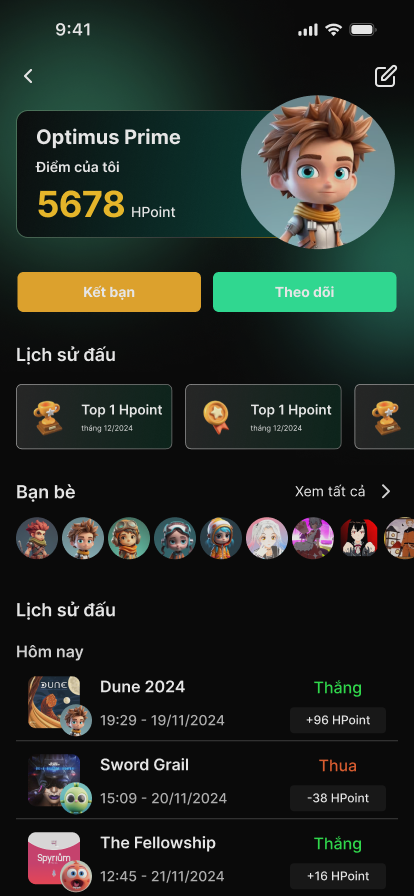
Build a player identity

A player profile brings together achievements, friends and match history.

  • Achievements
  • Friend connections
  • Match history
HiPlay — Build a player identity
Original Figma export
CHAPTER 05

App-wide HPoint loyalty

15 / 15

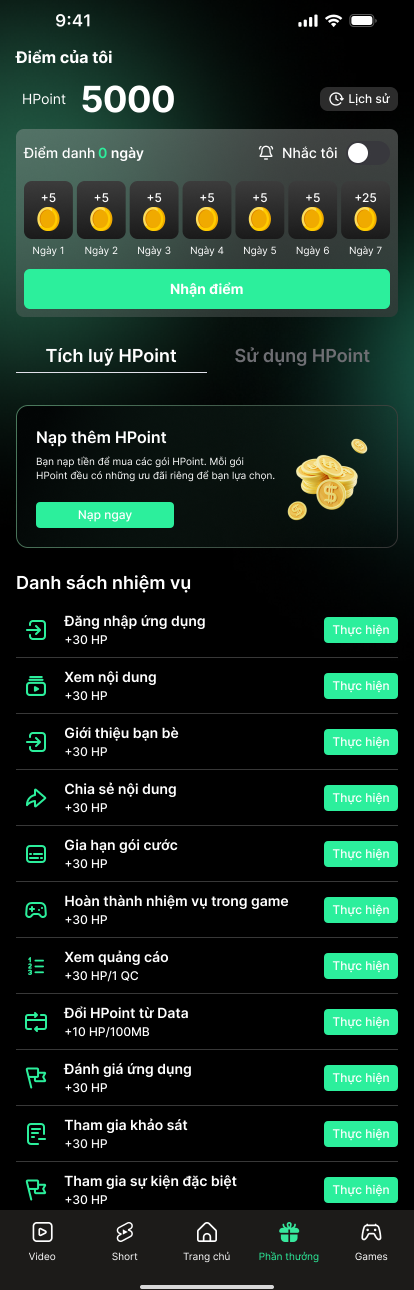
A broader HPoint experience

App-wide loyalty groups the HPoint balance, a seven-day check-in, earn/spend tabs and a task list. This is distinct from Game Portal navigation.

  • HPoint balance and check-in
  • Earn and spend tabs
  • Loyalty tasks
HiPlay — A broader HPoint experience
HiPlay app-wide loyalty · original Figma
Scroll to explore the complete screen.

03 / MY ROLE & COLLABORATION

My part
in the work.

ROLE DRAFT · FOR REVIEW

This role statement is a working draft for Kha Hoang to review. Final ownership and scope will be confirmed.

I collaborated on HiPlay’s mobile interfaces across entertainment discovery, game participation and loyalty, helping organize the different product areas without flattening them into one navigation flow.

  1. Design entertainment and game interfaces in context
  2. Clarify points, missions and progress information
  3. Maintain UI consistency across related product areas

Original supplied interface artwork is preserved. Any figures, names or prices within the UI are design content, not reported project outcomes.

KEEP EXPLORING / NEXT PROJECTVoting Admin Console

Let’s talk.

Have something in mind? Choose a way to get in touch.

LinkedInConnect with me
ZaloChat with me on Zalo
Emailkhahoangtm93@gmail.com
Phone0935 061 682